
Coaching clients well means knowing your tools. Over the years working in fitness and health, I have tested more BMI calculators than I can count, and the differences between them matter far more than most coaches realize. This bmi calculator for coaches comparison is something I put together after watching trainers in Nashville waste valuable session time on tools that were simply not built for professional coaching environments. Some calculators are fine for casual users. Others are genuinely built to support real coaching workflows. This guide breaks down what actually works, what does not, and how to choose the right tool for the way you coach.
Why Coaches Need a Reliable BMI Calculator Tool
A BMI calculator looks simple from the outside. Enter height. Enter weight. Read the number. Done.
But if you coach ten, twenty, or thirty clients a week, that simple tool needs to do a lot more. You need context and You need tracking. You need a result you can actually explain to a nervous client who just walked in holding their coffee and hoping the number is not too bad.
I have been in rooms where a coach showed a client a BMI result with zero context and the client went home feeling defeated. That is not coaching. That is just math with bad delivery.
A good BMI calculator for coaching environments has to support the full workflow. Not just the calculation.
How Coaches Actually Use BMI Calculators
From my experience, coaches use BMI tools in several specific situations:
Initial client assessments are the most common. A new client sits down and you need a health baseline fast. BMI gives you that in seconds.
Progress check-ins come next. Clients want to see change. Even if BMI is not the most detailed metric, it gives clients a simple number they can follow over time.
Body composition discussions often start with BMI. It opens the door to deeper conversations about body fat, muscle mass, and overall health goals.
Fitness program planning uses BMI as one input among several. A coach building a 12-week program for a client benefits from knowing the starting weight category.
Risk screening before training plans is especially important for new clients with health concerns. BMI helps flag potential risks worth discussing before intense training begins.
Limitations of Basic BMI Calculators
Here is the honest truth that most tool reviews skip over.
Basic calculators are not built for coaches. They are built for casual users who want one quick number.
They offer no athlete-specific interpretation. A 200-pound powerlifter and a sedentary 200-pound office worker might have identical BMI scores. The calculator does not know the difference and does not try to explain one.
They have no progress tracking. Every session starts from scratch. There is no history, no trend line, and no way to show a client how far they have come.
They do not connect to coaching software. The result lives in a browser tab and disappears the moment you close it.
They are slow during live sessions. Every second you spend entering data while a client watches is a second that could be spent coaching.
What Makes a Calculator Coach-Friendly
After testing many tools, I look for specific things that make a calculator actually useful in a professional setting.
Batch client input saves enormous time when you coach teams or group classes. Mobile usability matters because many coaches calculate BMI during outdoor sessions or field training. Exportable results let you share data with clients or include it in program documentation. Athlete versus general population comparison gives experienced coaches a better interpretation layer. Integration with nutrition or fitness tracking tools creates a more complete client health picture.
When a tool checks most of those boxes, it earns a regular place in my coaching toolkit.
Key Features Coaches Should Look for in a BMI Calculator
Not every coach has the same needs. A solo personal trainer working out of a gym in Nashville has different requirements than a strength coach managing a college athletic program.
But there are core features that matter across all coaching environments.
Athlete-Specific BMI Interpretation
This is the feature most tools get wrong.
Athletes frequently register in the overweight or even obese BMI categories. Not because they carry excess body fat, but because muscle tissue is denser and heavier than fat. A linebacker, a competitive swimmer, or even a serious recreational weightlifter can show a BMI of 27 or 28 while carrying very little body fat.
A coach-friendly calculator should offer athletic body composition context alongside the standard BMI number. It should ideally include alternative metrics like Fat-Free Mass Index (FFMI) or body fat estimates. Some advanced tools include coaching notes or interpretation layers that help explain the result in athlete-appropriate language.
When I work with strength athletes, I specifically look for tools that flag the muscle mass variable. Showing a fit athlete an “overweight” label without that context can damage trust and motivation immediately.
Multi-Client Tracking
If you coach more than a handful of people, single-calculation tools become a bottleneck fast.
Multi-client tracking means you can store individual client profiles, run bulk BMI calculations for entire teams, view progress charts showing change over time, and export data for program documentation or client reports.
I once managed a group of 22 participants in a corporate wellness program. Without a tool that could store and compare client data, the administrative work alone would have been overwhelming. A spreadsheet with custom formulas saved that program.
Mobile and Field Accessibility
Coaches do not always work at a desk.
Outdoor training sessions, gym floors, sports fields, and community centers are all real coaching environments where BMI might need to be calculated quickly. A tool that loads slowly, requires complex input, or looks broken on a smartphone is a problem in those situations.
The best mobile-friendly calculators have fast input forms with minimal steps, a responsive layout that works on any screen size, and ideally some level of offline capability for areas with poor signal.
Integration With Coaching Platforms
Advanced coaching tools connect with other parts of your professional workflow.
Nutrition trackers like MyFitnessPal or Cronometer pair BMI data with dietary intake analysis. Athlete monitoring systems used by performance coaches sync biometric data automatically. Training program apps use health metrics to adjust workout recommendations. Wearable fitness devices feed real-time activity data into the health profile.
Not every coach needs all of this. But knowing whether your preferred BMI tool connects with the rest of your workflow is an important question to ask before committing to it.
BMI Calculator Tools Coaches Commonly Use
Over the years, I have tried a wide range of tools. Here is an honest breakdown of what the coaching community actually uses in practice.
Built-In Fitness Coaching Software Calculators
Many professional coaching platforms include BMI calculators as part of a broader client management system. These are built directly into tools like Trainerize, PT Distinction, or TrueCoach.
The major benefit is integration. Client profiles, BMI history, workout logs, and nutrition data all live in one place. Progress charts are automatic. Client reports can be generated in minutes.
The downside is cost. Quality coaching software typically runs anywhere from $20 to $100 per month depending on the number of clients you manage. For coaches just starting out, that investment can feel significant before the client roster justifies it.
I made the jump to coaching software in my second year of full-time training. The time savings in client administration alone made the monthly cost worth every dollar.
Standalone Online BMI Calculators
These are the tools that come up first in a Google search. The NIH calculator, the CDC calculator, and dozens of fitness blog tools all fall in this category.
They are fast. They are free. Also, They require zero setup. For a quick single calculation during a first client conversation, they work perfectly well.
The problem is that they stop there. No tracking and No context. No connection to anything else in your workflow. You get a number, and then you have to figure out what to do with it manually.
For solo coaches doing occasional assessments, standalone calculators are completely adequate. For coaches with high client volume, they create extra work.
Spreadsheet-Based BMI Calculators
This is the solution I used for years before moving to dedicated coaching software, and honestly, I still think it is one of the most powerful options available.
A well-built spreadsheet can store client profiles, calculate BMI automatically, track changes over time, generate simple trend charts, and be customized for any coaching context.
Google Sheets is free and accessible from any device. Excel works well for coaches who prefer working offline. Both allow formulas that calculate BMI, flag categories automatically, and organize client data in ways no generic online tool can match.
The real cost is setup time. Building a solid coaching BMI spreadsheet from scratch takes several hours. But once it is done, it costs nothing to maintain and can scale to any number of clients.
A strength coach I met at a seminar in Nashville showed me his spreadsheet once. It tracked BMI, body fat estimates, waist circumference, and FFMI across 47 active clients. He called it his “command center.” It was genuinely impressive and entirely free to run.
Athlete Performance Apps
Sports team coaches and performance specialists often use dedicated athlete monitoring platforms. Tools like Teamworks, Hudl, or sport-specific performance apps include health metrics alongside athletic performance data.
These tools are built for team environments. Bulk data entry, athlete comparison dashboards, and detailed progress analytics are standard features.
The cost is typically higher, and the learning curve is steeper. But for coaches managing entire athletic programs, the investment delivers meaningful returns in time saved and data quality.
Comparison Table: Best BMI Calculators for Coaches
Here is a side-by-side view of the most common calculator types coaches use.
| Tool Type | Best For | Tracking | Athlete Context | Cost |
|---|---|---|---|---|
| Basic Online Calculator | Quick single sessions | No | Low | Free |
| Coaching Software | Professional trainers | Yes | Medium | Paid |
| Spreadsheet Calculator | Custom tracking | Yes | High (custom) | Free |
| Athlete Performance Apps | Sports teams | Yes | High | Paid |
A strength coach I know once joked that his spreadsheet looked like NASA built it, but it works better than any paid app he had tried. That captures the reality for a lot of experienced coaches perfectly.
The right choice is rarely the most expensive one. It is the one that fits your actual workflow.
Pros and Cons of Different BMI Calculator Types
Every tool type has genuine strengths and real limitations. Here is the honest breakdown.
Free Online BMI Calculators
Pros: Instant results with no waiting. Zero cost with no subscription required. Easy to use during a first client conversation. Simple interface that any client can understand.
Cons: No long-term tracking capability. Not athlete-specific in any meaningful way. Limited coaching insights beyond the basic category label. Results disappear when the browser tab closes.
Coaching Software Calculators
Pros: Fully integrated client management. Automatic progress analytics and trend charts. Professional reporting for client documentation. Single platform for all coaching needs.
Cons: Monthly subscription costs that add up over time. A learning curve that takes time to navigate. Sometimes more complex than the situation requires for smaller coaching practices.
Custom Spreadsheet Calculators
Pros: Fully customizable for any coaching context. Track multiple metrics across unlimited clients. Completely free to use long-term. Can be shared and updated from any device with cloud tools.
Cons: Initial setup takes real time and some technical comfort. Manual data entry for each client session. No automation without advanced formula work.
Real Coaching Scenario: Using BMI in Client Assessments
Let me walk you through what Monday morning actually looks like at a small personal training gym.
A new client comes in. Maybe they are carrying a few extra pounds from the holiday season. Maybe they are seriously overweight and nervous about being judged. They are a muscular former athlete who has not trained in two years.
Each of these clients has a different relationship with the number they are about to see.
A thoughtful coach starts with measurement. Height and weight first, recorded carefully. Then BMI calculation, followed immediately by context. Then a waist measurement and a body fat estimate if the tools are available.
BMI becomes the conversation starter. The coach explains what the number means, what it does not mean, and what the plan looks like regardless of where the client lands on the scale.
That conversation requires the coach to understand the tool deeply. A calculator that spits out “overweight” with no additional context is a liability in that moment, not an asset.
When BMI Helps Coaches
BMI works well with beginner clients who have no baseline health metrics. It is genuinely useful for health risk screening before starting new clients on intense training programs. It is a practical tracking metric for weight loss clients who want a simple number to follow over time.
When BMI Can Be Misleading
BMI becomes a problem when applied to strength athletes who carry significant muscle mass. Bodybuilders, powerlifters, and competitive sports athletes often show elevated BMI scores that do not reflect their actual health status.
High muscle mass individuals need additional context every time BMI comes up. This is where a coach’s communication skill matters as much as the tool itself.
Table: BMI Categories and Coaching Interpretation
Coaches rarely present BMI numbers without context. Here is how experienced trainers typically frame BMI ranges during client discussions.
| BMI Range | Standard Category | Coaching Context |
|---|---|---|
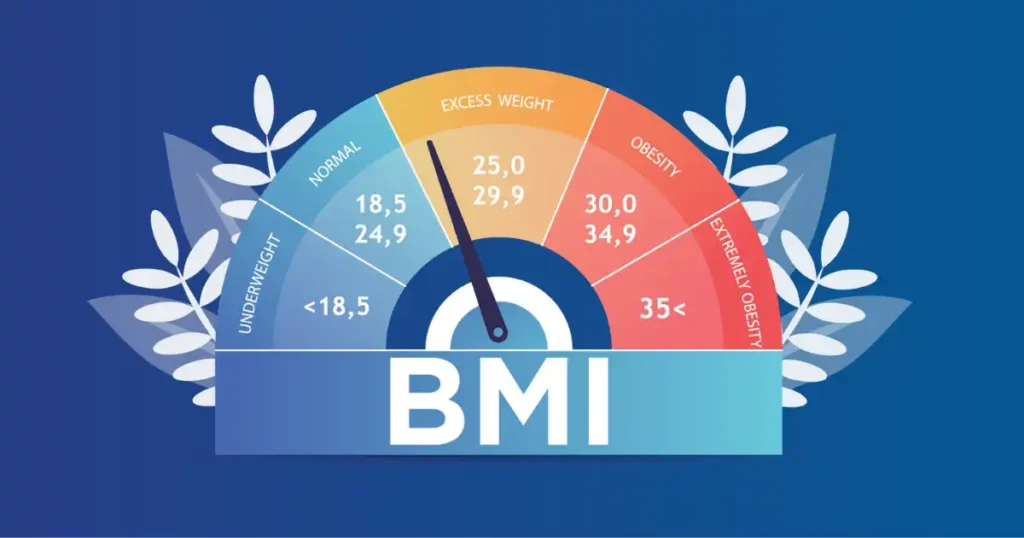
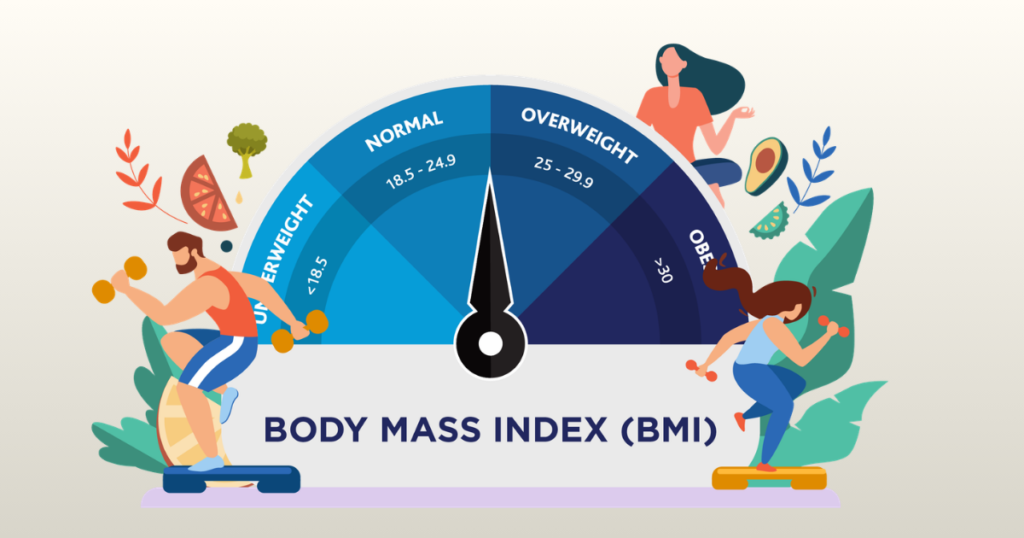
| Below 18.5 | Underweight | Review nutrition intake and energy balance |
| 18.5 to 24.9 | Normal weight | Maintain healthy habits and baseline activity |
| 25 to 29.9 | Overweight | Focus on dietary quality and progressive training |
| 30 and above | Obesity | Build a structured, sustainable health plan |
Sports science educator Dr. Mike Israetel has noted in coaching workshops that BMI is a screening tool, not a verdict. That framing is something I share with every coach I mentor. It changes how the number lands in a client conversation.
Alternative Metrics Coaches Often Use Alongside BMI
Experienced coaches rarely stop at BMI. Here is what they add to get a fuller picture.
Body Fat Percentage
Body fat percentage is the most commonly used additional metric in professional coaching settings.
It can be measured several ways. Skinfold calipers are affordable and practical for gym use. A trained coach can complete a basic measurement in under five minutes. DEXA scans are the most accurate option but require medical facility access. Bioelectrical impedance scales give quick estimates and are increasingly affordable for gym use.
Body fat percentage tells you what BMI cannot. It separates lean mass from fat mass and gives both coach and client a clearer picture of what is actually changing during a training program.
Waist-to-Height Ratio
Research consistently suggests that waist-to-height ratio is a stronger predictor of cardiovascular risk than BMI alone.
The practical rule that many coaches use: waist circumference should be less than half of total height. A 6-foot-tall person has a height of 72 inches. Their waist measurement ideally stays below 36 inches.
This metric is quick, requires only a measuring tape, and gives coaches a simple cardiovascular risk marker that BMI entirely misses.
Fat-Free Mass Index (FFMI)
FFMI is particularly useful for coaches working with strength athletes and physique competitors.
Where BMI treats all body weight equally, FFMI specifically analyzes lean mass relative to height. This makes it far more appropriate for evaluating whether an athletic client is actually carrying excess fat or simply carrying a lot of muscle.
An FFMI below 25 is generally considered a natural achievable range without performance-enhancing drugs. This benchmark is useful context for both coaches and physique-focused athletes.
Table: BMI vs Other Body Metrics for Coaches
| Metric | Best For | Accuracy | Ease of Use |
|---|---|---|---|
| BMI | Quick initial screening | Moderate | Very easy |
| Body Fat Percentage | Body composition tracking | High | Moderate |
| Waist-to-Height Ratio | Cardiovascular risk screening | High | Easy |
| FFMI | Athlete evaluation | High | Moderate |
Many coaches describe BMI as the first filter, not the full story. The table above shows exactly why. BMI earns its place because of speed and simplicity. The other metrics earn their place because of depth and accuracy.
Expert Advice from U.S. Strength Coaches
I have been fortunate to learn from some outstanding coaches over the years. Here is what experienced professionals consistently say about using BMI in coaching practice.
Sports performance coach Nick Tumminello, who has presented at fitness conferences across the country including events in Baltimore, makes a point that I think every coach should hear: BMI is useful for general clients, but athletes need deeper metrics.
That distinction shapes how I approach every client assessment. If someone is a recreational gym-goer focused on general health, BMI is a perfectly adequate baseline tool. If someone is a competitive athlete with specific performance goals, BMI alone tells me almost nothing useful.
Practical advice that I follow in my own coaching:
Use BMI during the intake assessment as a quick baseline. Pair it immediately with at least one body composition measurement. Track trends over months, not days or weeks. Let the client’s goals determine how much emphasis BMI receives in the program.
The coaches I respect most use BMI as a doorway into a deeper conversation, not as a destination.
Common Mistakes Coaches Make When Using BMI Calculators
Even experienced trainers fall into predictable traps with BMI tools. Here are the ones I see most often.
Treating BMI as a Body Fat Measurement
This is the most common and most problematic mistake.
BMI measures weight relative to height. It does not measure body fat. It does not distinguish between a pound of muscle and a pound of fat. Presenting BMI to a client as if it represents their body fat percentage is inaccurate and potentially harmful to the coaching relationship.
Always clarify with clients: BMI is a weight-to-height screening tool. Body fat percentage requires a separate measurement.
Ignoring Muscle Mass
Athletes, regular gym-goers, and anyone with above-average lean mass will frequently show elevated BMI scores. If a coach presents that result without context, the client may feel incorrectly categorized.
The solution is simple. Before calculating BMI, ask the client about their activity history and training background. Flag the muscle mass variable before showing the result. Present the number with an explanation, not just a label.
Over-Tracking Small Changes
Daily BMI calculations mean almost nothing in isolation. Body weight naturally fluctuates by several pounds throughout a single day based on hydration, food intake, and other variables. Tracking BMI daily creates noise, not signal.
Better tracking practice: calculate BMI monthly under consistent conditions, first thing in the morning, before eating or drinking. Combine it with other monthly metrics. Show clients the trend over 90 days rather than week-to-week changes.
Relying on BMI Alone for Program Design
Using only BMI to design a fitness program is like using only a speedometer to navigate a road trip. It tells you one thing and leaves out everything else.
Always combine BMI with fitness level assessment, movement screening, cardiovascular capacity testing, and client lifestyle information before building a program.
How to Choose the Best BMI Calculator for Your Coaching Workflow
The right tool depends entirely on how you actually coach. There is no single best answer for every situation.
Solo Personal Trainers
If you run a solo practice with a manageable client list, start simple.
A reliable free online calculator like the NIH tool handles quick assessments during sessions. A Google Sheets spreadsheet with custom BMI formulas handles tracking and client history. This combination costs nothing and covers all your core needs.
Upgrade to coaching software only when your client volume makes manual tracking genuinely time-consuming.
Online Fitness Coaches
Online coaching creates different requirements. You cannot physically measure clients, so you rely on self-reported data. You need systems that make tracking easy for both you and the client.
Look for coaching platforms that include client dashboards where clients enter their own measurements. Automatic BMI calculation from submitted data saves significant time. Exportable progress reports give clients tangible evidence of their progress.
Platforms like Trainerize or PT Distinction were built specifically for this environment.
Team Sports Coaches
If you manage athletes at the high school, college, or professional level, you need tools built for team data.
Athlete monitoring software that handles bulk data entry is essential. Performance tracking apps that connect biometric data with athletic output give a complete athlete health picture. Tools that allow comparison across team members help identify individuals who may need additional support.
The investment in professional athlete monitoring software pays off quickly when you are managing 30 or more athletes simultaneously.
Building Your Own BMI Tracking System as a Coach
One of the most practical things I recommend to coaches who are not ready to invest in paid software is building a simple custom tracking system.
Here is the basic framework I use and teach.
Create one row per client. Include columns for date, height, weight, BMI (formula-calculated automatically), weight category, waist circumference, and notes from the session.
Use conditional formatting in Google Sheets or Excel to color-code BMI categories automatically. This makes scanning client data at a glance extremely fast.
Add a monthly trend chart for each major client. Seeing a six-month downward trend in a client’s BMI visualized in a simple line chart is genuinely motivating for both coach and client.
Build a dashboard tab that shows all clients sorted by BMI category. This helps you identify which clients might need more urgent attention in upcoming sessions.
The whole setup takes two to three hours to build initially. After that, updating it takes less than two minutes per client per session.
Privacy and Data Considerations for Coaches Using BMI Tools
This is a topic that most BMI calculator reviews ignore entirely, and I think it matters.
If you are storing client health data, including BMI history, you have data privacy responsibilities. This is especially important for coaches working in clinical-adjacent settings or with minors.
Free online calculators that require no login typically store no data on their end. That is actually an advantage from a privacy standpoint. The data stays on your side of the screen.
Coaching software platforms should have clear privacy policies and secure data storage. Before selecting any paid platform for client health data, read the privacy policy and understand how client information is stored and protected.
Spreadsheets stored in your personal Google Drive or password-protected Excel files give you full control over client data security. That control is one of the underrated advantages of the DIY spreadsheet approach.
Final Recommendation
After years of testing tools, coaching clients across different experience levels, and talking with coaches who work in environments ranging from high school athletics to corporate wellness programs, here is my honest recommendation.
Start with a free online calculator and a simple spreadsheet. This combination handles the needs of most solo coaches and small group trainers at zero cost. The NIH calculator is accurate and trustworthy. A well-built Google Sheets tracker covers everything you need for client history.
Add coaching software when your client volume makes manual tracking genuinely burdensome, typically somewhere around 15 to 20 active clients in my experience. At that point, the time savings from integrated client management more than justify the monthly cost.
Move to athlete monitoring software only if you are coaching competitive athletes in a team environment where bulk data management and performance integration are genuine daily needs.
Never rely on BMI alone. Pair it always with at least one body composition metric, communicate results with full context, and use the number as an opening for coaching conversation rather than a final judgment.
The best BMI calculator for coaches is the one that fits your workflow today, scales with your practice as it grows, and supports the kind of thoughtful, context-rich client conversations that make coaching genuinely effective.
That standard is more important than any specific tool name or price point. Build your system around how you actually coach, and the right tool choice will become obvious quickly.
Frequently Asked Questions
1. What is the goal of a bmi calculator for coaches comparison?
A bmi calculator for coaches comparison helps you find the best tool. It shows which one tracks many clients fast. This saves you time each day.
2. Can I track many people in a bmi calculator for coaches comparison?
Yes. A bmi calculator for coaches comparison looks for tools with group logs. This feature is great for trainers who work with large teams.
3. Does a bmi calculator for coaches comparison cover apps?
It does. A bmi calculator for coaches comparison shows you top mobile apps. These tools help you check client stats while you are at the gym.
4. What data is key in a bmi calculator for coaches comparison?
Look for tools that save history. This data is a big part of a bmi calculator for coaches comparison. It helps you see real progress over time.
5. Is cost a factor in a bmi calculator for coaches comparison?
Yes. A bmi calculator for coaches comparison looks at free and paid tools. You can find a great fit that stays within your business budget.
6. Are charts included in a bmi calculator for coaches comparison?
Many top tools have clear graphs. A bmi calculator for coaches comparison helps you find visuals. These make it easy to show wins to your clients.
7. How do I start a bmi calculator for coaches comparison?
Pick three tools and test them out. Use our bmi calculator for coaches comparison to see which one feels right. Start your search today for better results.

Shakitul Alam is the CEO, Owner, and Co-founder of BMI Calculator Women AI. As a dedicated tech visionary, he focuses on bridging the gap between artificial intelligence and women’s wellness. Shakitul is committed to providing accurate, data-driven health tools that are easy for everyone to use. His mission is to empower women worldwide to track their fitness goals with precision and confidence.