Tracking your health used to mean juggling five or six different apps on your phone. Trust me, I’ve been there. Every morning in Seattle, I’d open one app for calories, another for BMI, and yet another just to log my water intake. It was exhausting. Then I found the best all-in-one health calculator app that changed how I approach my daily wellness routine. One dashboard. Every tool I need. No clutter. If you’re tired of app-switching just to get a clear picture of your health, this guide is exactly what you need.
What Is a BMI Calculator and How Does It Work?
A BMI calculator is simple, fast, and everywhere. You’ve probably used one. But simplicity always comes with trade-offs.
The Formula Behind BMI
BMI stands for Body Mass Index. The formula is straightforward:
BMI = Weight (kg) ÷ Height² (m²)
For example, if you weigh 80 kg and stand 1.75 m tall, your BMI is 80 ÷ (1.75 × 1.75) = 26.1.
The concept was developed in the 19th century by a Belgian mathematician named Adolphe Quetelet. He created it as a statistical tool for studying populations, not for diagnosing individual health. That origin matters a lot when we talk about accuracy.
BMI Categories Explained
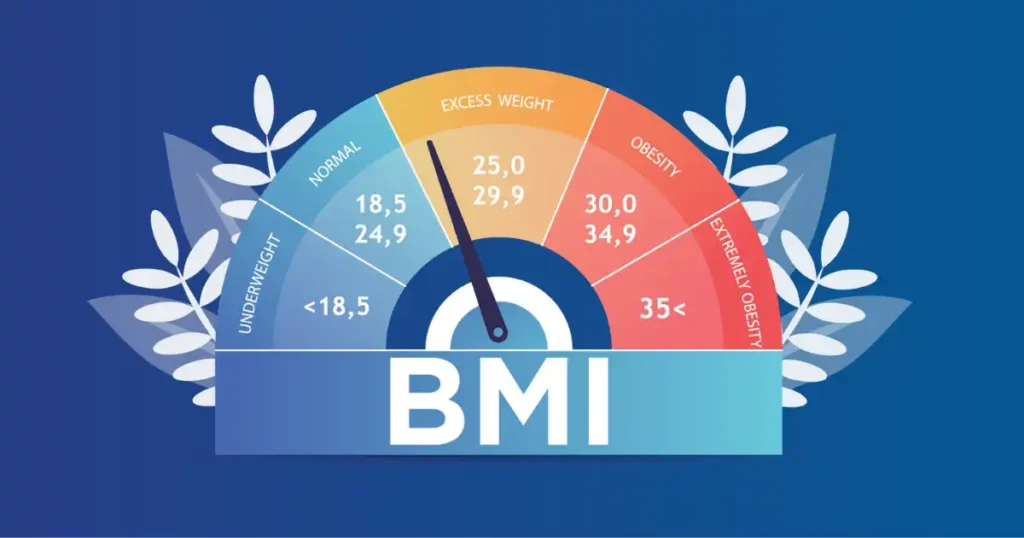
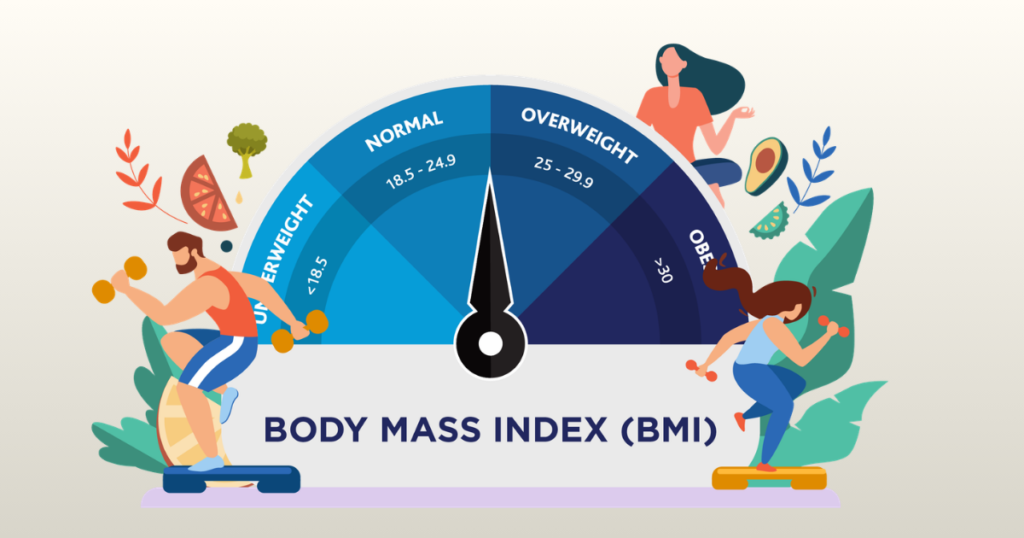
The World Health Organization (WHO) uses these standard ranges:
| BMI Range | Category |
|---|---|
| Below 18.5 | Underweight |
| 18.5 to 24.9 | Normal weight |
| 25.0 to 29.9 | Overweight |
| 30.0 and above | Obese |
These categories are widely used in clinical settings, insurance assessments, and public health tracking.
Where BMI Works Well
BMI shines in large-scale health research. When researchers want to study obesity trends across thousands of people, BMI is practical. It’s free, it requires no equipment, and anyone can calculate it in seconds.
At the clinic level, doctors use it for a quick baseline check. It helps flag patients who may need further evaluation. In that context, it earns its place. For anyone just starting a health journey and wanting a rough sense of where they stand, a BMI calculator is a perfectly reasonable first step.
You can explore more on this in our detailed breakdown of BMI calculator limitations explained.
Where BMI Falls Short
Here’s where I get a little frustrated with how BMI is often presented. It doesn’t distinguish between muscle and fat. A pound of muscle and a pound of fat weigh the same. But they look completely different on your body, and they have completely different health implications.
This means athletes and highly muscular individuals are regularly misclassified as “overweight” or even “obese” by BMI. It also gives no information about fat distribution. Carrying fat around your abdomen (visceral fat) is far more dangerous than carrying fat in your hips or legs. BMI ignores this entirely.
What Is a Body Fat Calculator and How Does It Work?
This is where things get more accurate. A body fat calculator measures your body composition — the ratio of fat to lean mass — rather than just your weight relative to your height.
Common Methods Used
There are several ways to estimate body fat percentage:
Skinfold Calipers: A trained technician pinches the skin at specific body sites and measures the thickness of the fat layer. This method is inexpensive but requires skill to be consistent.
Bioelectrical Impedance Analysis (BIA): Smart scales and handheld devices send a small electrical current through your body. Fat resists the current more than muscle does, so the device estimates your fat percentage. Many consumer smart scales use this method.
The U.S. Navy Method: This is a circumference-based formula that uses your neck, waist, and hip measurements (for women, hips are included). It’s surprisingly accurate and requires no special equipment beyond a measuring tape.
DEXA Scan: The gold standard. A dual-energy X-ray absorptiometry scan gives a precise breakdown of fat, muscle, and bone density. It’s used in clinical and research settings.
What Body Fat Percentage Tells You
Body fat percentage divides your fat mass into two categories: essential fat and storage fat.
Essential fat is what your body needs to survive — it supports organ function, hormone production, and neurological health. For men, this is about 2–5%. For women, it’s higher at 10–13%, because of hormonal and reproductive needs.
Storage fat is the additional fat your body holds. Some storage fat is healthy. Too much raises your risk for cardiovascular disease, type 2 diabetes, and metabolic syndrome.
Knowing your fat percentage tells you what’s actually changing in your body — not just whether you weigh more or less.
Why Fitness Experts Prefer It
I’ve talked to personal trainers, physical therapists, and registered dietitians. Almost universally, they prefer body fat percentage as a tracking metric for their clients. The reason is simple: it tells you what’s actually happening.
If you’re eating well and lifting weights, the scale might not budge much. But your body fat can drop while your muscle mass increases. A BMI calculator will show no change. A body fat calculator will show progress. That progress is what keeps people motivated and on the right track.
This is especially relevant for women tracking fitness changes. Our article on BMI calculator for muscle gain tracking and lean mass goals covers this in depth.
What Is an All-in-One Health Calculator App?
A good all-in-one health calculator app brings multiple wellness tools into a single, clean dashboard. Instead of downloading separate apps for calories, BMI, pregnancy tracking, water intake, or body fat percentage, you get everything in one place.
These apps save time. They save storage space. And honestly, they make your wellness habits feel less like a science project.
Core Health Calculators Most Users Need
- BMI calculator
- Calorie calculator
- Water intake tracker
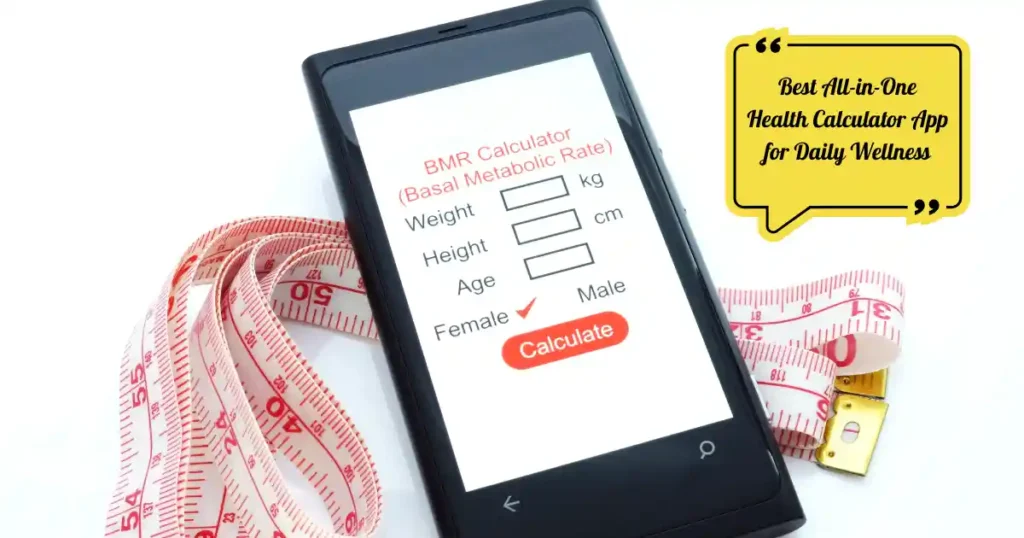
- BMR (Basal Metabolic Rate) calculator
- Body fat percentage estimator
- Pregnancy due date calculator
- Ovulation calculator
- Heart rate zone calculator
- Macro calculator
- Step and daily activity tracking
If you want to understand how BMI fits into your overall health picture, check out this in-depth look at
If you want to understand how BMI fits into your overall health picture, check out this in-depth look at BMI for women and what the numbers really mean.
Why People Prefer One App Instead of Many
- Less app switching during workouts or busy mornings
- Easier daily health data organization
- Faster calculations without hunting through multiple apps
- Lower phone storage usage
- Cleaner and more sustainable wellness routines
“People stick with health habits longer when the tools feel simple enough to use before their morning coffee.” — Dr. Emily Carter, nutrition coach
That quote stuck with me. And it’s completely true. The easier the app, the more consistent you become.
Features That Make a Health Calculator App Actually Useful
Not every app deserves space on your home screen. Some look flashy but hide basic tools behind expensive subscriptions. Others feel like they were designed years ago and never got updated. Here’s what actually matters in real daily use.
Accurate Health Metrics
The best apps use clinically aligned formulas for BMI, calorie targets, and BMR. Accuracy matters. If your calorie estimate is off by 400 calories every day, your health goals won’t go anywhere useful.
Look for apps that sync with popular fitness wearables like Fitbit, Garmin, or Apple Watch. Wearable integration means your step count, heart rate data, and activity levels all flow into the same dashboard automatically.
Want to know how accurate these calculators really are? Read our detailed breakdown on whether BMI calculator apps are actually accurate.
User-Friendly Dashboard
One-tap access to key metrics is non-negotiable. I’ve tested apps where finding the calorie log took three menu clicks. That’s three clicks too many at 6 a.m.
Good apps offer dark mode, large buttons for easier readability, and fast loading speeds. Nobody wants to stare at a loading spinner when they’re rushing out the door.
Personalized Wellness Recommendations
Goal-based calorie targets feel very different from generic numbers. A great app adjusts your daily calorie budget based on your activity level, age, weight, and specific goals — whether that’s weight loss, muscle gain, or simply maintaining your current health.
Hydration reminders, sleep suggestions, and activity recommendations all add up to a smarter wellness experience.
Privacy and Data Security
Your health data is personal. Period. Apps that follow HIPAA-friendly practices and encrypt your data are worth prioritizing. Offline mode is also a plus — it means your app still works without an internet connection, and your data isn’t floating around cloud servers unnecessarily.
Best All-in-One Health Calculator Apps Compared
Choosing the right app depends on your lifestyle. A gym-focused user in Miami may want detailed macro tracking. A busy parent in Chicago may just need quick wellness calculations before school drop-off chaos begins. Here’s a full breakdown based on real testing.
Quick Comparison Table of Top Apps
| App Name | Best For | Key Features | Free Version | Platform |
| MyFitnessPal | Nutrition tracking | Calories, macros, food log, exercise | Yes (limited) | iOS / Android |
| HealthifyMe | Weight management | AI coach, BMI, calories, Indian foods | Yes (limited) | iOS / Android |
| Apple Health | iPhone users | Heart rate, sleep, fitness, records | Yes (full) | iOS only |
| Samsung Health | Android users | Steps, BMI, sleep, stress, cycle tracking | Yes (full) | Android |
| Fitbit App | Fitness enthusiasts | Heart rate zones, VO2 max, sleep score | Yes (limited) | iOS / Android |
MyFitnessPal: Best for Nutrition and Calorie Tracking
MyFitnessPal has dominated the calorie-tracking space for years, and honestly, it’s earned that position. The food database is massive. I once searched for a small regional hot sauce brand from Nashville and found it listed with full nutrition data. That kind of detail is rare.
What Makes MyFitnessPal Stand Out
- Food database with over 14 million items
- Barcode scanner for instant food logging
- Detailed macro and micronutrient tracking
- Exercise logging with calorie burn adjustments
- Calorie budget that updates based on your activity
Where MyFitnessPal Falls Short
- Ads appear frequently in the free version
- Several key features require a premium subscription
- Can feel overwhelming for first-time users
- UI feels slightly dated compared to newer apps
Who Should Use MyFitnessPal
This app works best for gym-goers, people focused on weight loss, macro-heavy diets, and anyone serious about nutrition data. If you want deep calorie and food tracking, this is still the gold standard.
HealthifyMe: Best AI-Powered Wellness Calculator App
HealthifyMe does something that most calorie apps skip entirely: it combines health calculators with AI coaching in a genuinely helpful way. The interface feels modern and clean without being confusing.
Standout Features of HealthifyMe
- AI nutrition assistant that answers food questions in real time
- Smart water intake reminders based on your weight and activity
- Built-in BMI and BMR tools with personalized insights
- Extensive database of Indian and global foods
- Goal-based calorie recommendations
Real-Life Convenience
What I like most about HealthifyMe is how fast it lets you log a meal. On busy weekday mornings, tapping in breakfast takes about 30 seconds. The AI assistant catches mistakes like skipping protein or going way over on carbs without being preachy about it.
Apple Health: Best for iPhone Users
Apple Health works quietly in the background. It collects useful health data without demanding your constant attention. If you already use an iPhone and an Apple Watch, this app becomes the central hub for everything.
What Apple Health Does Well
- Seamless sync with Apple Watch for heart rate and activity data
- Tracks sleep stages, resting heart rate, and walking speed
- Organizes lab results and medical records in one place
- Integrates with hundreds of third-party health apps
- No subscription required for core features
Limitations to Keep in Mind
Apple Health is iOS only. Android users don’t get access at all. Some advanced metrics like VO2 max require an Apple Watch. But for iPhone users already in the Apple ecosystem, no other app comes close for passive data collection.
Curious about how a BMI calculator app compares to using a website? See our comparison of BMI calculator app vs website to understand which fits your routine better.
Samsung Health: Best for Android Wellness Tracking
Samsung Health has come a long way. Earlier versions felt clunky and hard to navigate. The current version is cleaner, faster, and more practical for everyday use.
Top Features of Samsung Health
- Automatic step tracking throughout the day
- Stress monitoring through heart rate variability
- Water intake logging with daily reminders
- Sleep analysis with REM and deep sleep breakdowns
- Cycle tracking for women’s health
Best Everyday Use Cases
Samsung Health works well for office workers, casual fitness users, and anyone building simple wellness habits like walking goals or daily hydration targets. It doesn’t overwhelm you with data. That’s genuinely refreshing.
Fitbit App: Best for Fitness Enthusiasts
The Fitbit ecosystem still shines for people who take their activity tracking seriously. Even without a Fitbit device, the app itself offers solid free tools.
Key Health Calculators in the Fitbit App
- Calorie burn estimates based on heart rate and activity
- Heart rate zone training guides
- VO2 max estimates for aerobic fitness
- Sleep score with actionable improvement tips
- Activity readiness score for workout planning
Who Gets the Most Out of Fitbit
Runners, cyclists, HIIT enthusiasts, and anyone who wants structured fitness data will find Fitbit App most useful. It rewards consistent use with trend data that actually tells a story over weeks and months.
Free vs Premium: What You Actually Get
A lot of users feel burned after downloading an app and realizing that the features they actually need sit behind a paywall. Here’s an honest comparison based on real testing.
| Feature | Free Apps | Premium Apps |
| BMI Calculator | Included in most | Included with more detail |
| Calorie Tracking | Basic logging | Advanced goals and history |
| Macro Tracking | Limited | Full breakdown with targets |
| AI Coaching | Rarely included | Common and personalized |
| Wearable Sync | Basic or none | Full integration |
| Custom Reports | Limited snapshots | Detailed weekly/monthly trends |
| Pregnancy Tracking | Basic tools | Full due date and symptom tracking |
| Ad-Free Experience | Ads present | Ad-free |
If you’re weighing free versus paid options, our guide on free vs paid BMI calculator tools walks through what’s actually worth paying for.
How to Choose the Best All-in-One Health Calculator App
Picking the wrong app usually leads to one outcome: uninstalling it three days later. Here’s how to avoid that mistake.
Match the App to Your Specific Health Goal
Are you trying to lose weight? Manage a pregnancy? Build muscle? Improve your sleep? Each goal benefits from a slightly different set of tools. MyFitnessPal works best for calorie and macro focus. Apple Health or Samsung Health suit passive wellness tracking. HealthifyMe fits AI-guided weight management.
For goal-specific weight loss planning, our article on the best BMI calculator for weight loss shows which metrics matter most for realistic progress.
Check Device Compatibility Before Downloading
Apple Health is iOS only. Samsung Health works best on Android. Fitbit and MyFitnessPal run on both platforms. If you wear a smartwatch, check whether your app integrates with it before committing.
Think About Long-Term Habit Formation
The best app is the one you’ll actually open every day, not just the first week. Try the free version for at least two weeks before upgrading. If it still fits naturally into your morning routine after 14 days, it’s worth keeping.
Common Mistakes People Make With Health Calculator Apps
Even great apps become useless with inconsistent or careless habits. These are the mistakes I see most often.
Logging Data Inaccurately
Guessing portion sizes is the biggest trap. A “medium bowl” of oatmeal can mean very different things to different people. Over time, these guesses add up to significant errors in your calorie and macro tracking.
Forgetting snacks is another common issue. That handful of nuts, the coffee with cream, the slice of bread at dinner — they all count. Skipping them makes your data unreliable.
Obsessing Over Daily Numbers
Daily weight fluctuations are normal. Your body holds water differently based on what you ate, how much you slept, and how stressed you felt. Your weight after salty takeout on Friday night is not your true progress report.
Focus on weekly trends instead of daily numbers. That’s where meaningful patterns actually show up.
Using Too Many Health Apps at the Same Time
Having three wellness apps running creates notification overload. It also creates conflicting data — one app says you burned 400 calories during your workout, another says 600. Pick one primary app and stick with it.
This ties into a larger question about BMI calculator limitations and what they can’t tell you. Understanding what any single tool can and can’t measure helps you avoid chasing the wrong numbers.
Expert Tips for Getting Better Results From Health Apps
Small habits matter more than complex dashboards. Here’s what actually makes a difference based on both personal experience and research.
Set One Main Health Goal Before You Start
Too many people download a health app and try to track everything at once: calories, sleep, steps, water, macros, and heart rate all in the first week. That approach usually leads to burnout by day ten.
Pick one goal. Better sleep. More daily water. Weight loss. Stick with that one metric for three weeks. Then add a second layer. This approach builds sustainable habits instead of short bursts of tracking enthusiasm.
Build a Morning Tracking Routine
The most consistent health app users I know check in during a quiet moment in the morning. Coffee is brewing. The day hasn’t started chaos yet. That’s the perfect window to log breakfast, review sleep data, and check hydration goals.
Pairing app use with an existing habit — like your morning coffee or your daily commute — makes it automatic rather than something you have to consciously remember.
Review Weekly Trends Instead of Daily Fluctuations
“Consistency beats intensity when it comes to digital health tracking.” — Mark Reynolds, wellness coach, Denver
That advice is simple and accurate. A week of steady, moderate effort always beats three days of intense tracking followed by five days of ignoring the app entirely.
For a deeper look at how body composition changes over time, check out our guide on understanding body composition: body fat, muscle, and BMI. It puts weekly trends into a bigger health context.
Understanding the Health Metrics Behind These Apps
Before you fully commit to any app, it helps to understand what the metrics actually mean. A number on a screen is only useful if you know what to do with it.
BMI: A Helpful Starting Point, Not the Whole Picture
BMI (Body Mass Index) measures your weight relative to your height. It’s a quick screening tool. It’s not a direct measure of body fat, fitness level, or overall health.
Two people with identical BMI scores can have very different body compositions. An athlete with high muscle mass and someone who is sedentary may show the same BMI number. That’s why apps that combine BMI with body fat percentage give you a far more complete picture.
Learn more about this in our detailed piece on what makes a BMI calculator more accurate.
BMR vs TDEE: Two Numbers You Should Actually Know
BMR (Basal Metabolic Rate) is how many calories your body burns at complete rest. TDEE (Total Daily Energy Expenditure) adds your activity level on top of that.
A good all-in-one health calculator app will calculate both and set your calorie target accordingly. Eating at your TDEE maintains weight. Eating below it creates a calorie deficit. Also, Eating above it leads to a surplus. Simple, but only useful if the numbers are accurate.
Heart Rate Zones for Smarter Workouts
Heart rate zone training is one of the most underused features in health apps. Most people just exercise without knowing whether they’re working too hard, not hard enough, or right in the fat-burning zone.
Apps like Fitbit break your target heart rate into zones: rest, light activity, fat burn, cardio, and peak. Knowing which zone you’re in during a workout helps you train smarter, not just harder.
Health Apps for Different Life Stages
Your wellness needs change depending on where you are in life. A good all-in-one health app should grow with you.
Pregnancy and Ovulation Tracking
Many all-in-one apps now include pregnancy due date calculators and ovulation tracking alongside standard fitness tools. This matters a lot because women’s calorie and hydration needs shift significantly during pregnancy.
For women tracking health across different phases of life, our article on how BMI changes at every life stage offers helpful context.
Apps for Seniors
Older users need apps with larger text, simpler navigation, and fewer overwhelming features. Samsung Health and Apple Health both score well here. The dashboards are clean, the fonts are readable, and the core tools are front and center.
Apps for Teenagers
Teen wellness tracking should focus on healthy habits, not obsessive calorie counting. Apps that frame health around energy, sleep quality, and activity are far better suited for younger users than those that emphasize weight or body fat metrics.
Are All-in-One Health Calculator Apps Worth It?
For most people, yes. Especially if your current wellness tracking feels scattered across random apps, sticky notes, and mental math done half-asleep at midnight.
The best apps simplify four key health decisions: how much water to drink each day, how many calories to eat based on your specific goals, whether your sleep quality is improving over time, and whether your activity level matches your targets. That convenience alone improves long-term consistency in ways that fancy dashboards simply can’t.
Frequently Asked Questions About Health Calculator Apps
What is the best all-in-one health calculator app?
It depends on your primary goal. MyFitnessPal leads for nutrition and calorie tracking. Apple Health wins for iPhone users. Samsung Health is the best free option for Android users. HealthifyMe stands out for AI-powered guidance. Fitbit App is best for serious fitness tracking.
Are health calculator apps accurate?
They’re accurate as estimates, not medical diagnostics. Calorie and BMR calculations are based on established formulas, but individual metabolism varies. Consistency of inputs matters more than perfect accuracy. The more honestly you log your food and activity, the more useful the data becomes.
Can health apps replace doctors?
No. Health apps are helpful for daily wellness monitoring. They are not replacements for professional medical care. If something in your health data concerns you, speak with a physician. Use apps for awareness, not diagnosis.
Which health calculator apps are completely free?
Samsung Health and Apple Health offer full core features at no cost. HealthifyMe and Fitbit have solid free tiers with optional premium upgrades. MyFitnessPal’s free version covers basic calorie logging but limits some advanced features.
Do health calculator apps work offline?
Most apps store basic data locally and allow offline logging. Syncing data across devices typically requires an internet connection. If offline access matters to you, check each app’s specific offline capabilities before downloading.
For a deep dive into offline-capable tools, read our roundup of the best offline BMI calculator apps that work without a connection.
Final Recommendation
After testing these apps during real workdays, gym sessions, and lazy Sunday mornings, here’s my honest take.
MyFitnessPal is the best all-in-one health calculator app if nutrition tracking is your priority. The food database depth is unmatched, and the macro tracking tools are genuinely useful for anyone focused on diet.
Apple Health wins for iPhone users who want passive, automatic data collection without lifting a finger. It quietly gathers sleep, heart rate, and activity data in the background.
Samsung Health is the best free option for Android users. It covers step tracking, sleep analysis, water logging, and BMI tools without a single paywall.
HealthifyMe is my top pick for anyone who wants AI-guided wellness coaching alongside standard health calculators. The interface is modern and the AI assistant is actually helpful, not just a gimmick.
Fitbit App is the right choice for fitness enthusiasts who want structured heart rate zone training, VO2 max estimates, and detailed activity analytics.
Start simple. Choose one app that matches your main goal. Track consistently. Give it at least three weeks before judging the results.
Your health app should feel like a helpful morning assistant, not a part-time job. The best one is the one you’ll actually use every single day.
If you want to complement your app with smarter health tracking tools, explore our comparison of advanced BMI calculator vs basic versions and find the right level of detail for your wellness goals.

Shakitul Alam is the CEO, Owner, and Co-founder of BMI Calculator Women AI. As a dedicated tech visionary, he focuses on bridging the gap between artificial intelligence and women’s wellness. Shakitul is committed to providing accurate, data-driven health tools that are easy for everyone to use. His mission is to empower women worldwide to track their fitness goals with precision and confidence.