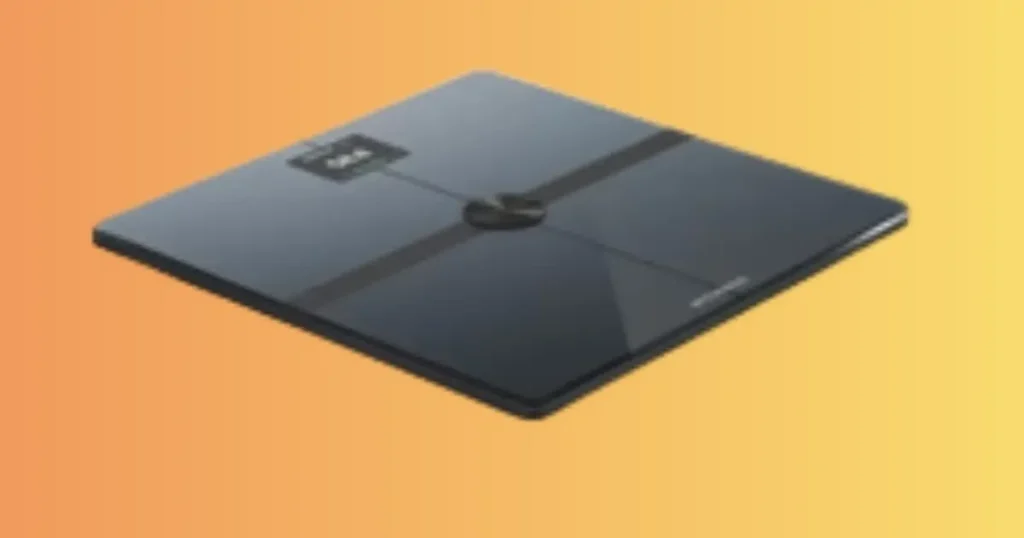
Last rainy Monday morning, before heading into work, I stood on my Withings Body Scan and watched the ECG reading fail twice in a row. I live in Portland, Oregon, and gray mornings like that one are common, so I know the frustration of a health device that suddenly refuses to cooperate. If your Withings Body Scan is not working right now, you are not alone, and the fix is probably closer than you think. I have spent years testing and troubleshooting connected health devices, and in this guide, I will walk you through every real fix, step by step.
Why Your Withings Body Scan Is Not Working
When a premium smart scale stops working, it doesn’t always mean it’s broken. Most problems come from setup, connectivity, batteries, or measurement conditions, and many take only a few minutes to fix.
I have seen this pattern repeat itself so many times that I rarely assume hardware failure anymore. Nine times out of ten, the real cause is something small, like a soft rug under the scale or dry hands during an ECG scan.
The Withings Body Scan packs in more sensors than a standard bathroom scale, which means there are simply more variables that can affect a single measurement. That is not a flaw. It is the tradeoff for getting weight, body composition, ECG, and cardiovascular metrics from one device instead of several.
What “Not Working” Can Mean
The Withings Body Scan does more than any basic bathroom scale, so “not working” can mean several different things depending on your symptom.
- Scale won’t turn on
- Display stays blank
- Weight won’t appear
- Handle won’t connect
- Wi-Fi setup fails
- Bluetooth won’t pair
- ECG scan won’t complete
- Segmental body composition missing
- Vascular Age unavailable
- Nerve Health Score not showing
- Sync problems with the app
- Incorrect weight readings
Once you match your exact symptom to this list, you can skip straight to the right fix instead of guessing.
Start With the Easy Checks
Before diving into deeper troubleshooting, run through these basics. They solve a surprising number of Withings Body Scan issues on their own.
- Battery level
- Charging status (if applicable)
- Hard, level flooring
- Stable internet connection
- Correct standing position
- Handle fully extended
- Updated app
- Firmware version
Quick Troubleshooting Checklist (Fix Most Problems in Minutes)
Professional technicians always begin with simple diagnostics before advanced troubleshooting. This checklist helps identify the most likely cause without wasting time.
Most support requests follow predictable patterns. Use this table first before attempting resets or contacting customer support.
| Problem | Likely Cause | Fast Fix |
|---|---|---|
| Won’t turn on | Battery issue | Replace batteries or recharge |
| Wrong weight | Soft flooring | Move to hard floor |
| ECG won’t work | Incorrect grip | Hold handle correctly |
| Body Scan incomplete | Standing position | Stay still until finished |
| Bluetooth won’t connect | Phone settings | Restart Bluetooth |
| Wi-Fi setup fails | Network issue | Reconnect through app |
| App won’t sync | Outdated app | Update app |
If your problem matches a row here, try that fix first. Many readers solve their issue before reading any further.
Check Power Before Anything Else
Many users skip this step because the screen lights up briefly. Weak batteries or unstable power often cause random failures, even when the scale seems to be turning on fine.
Replace All Batteries Together
Never mix a fresh battery with an old one. A weak cell can create inconsistent power, which shows up as a flickering screen or a scan that quits partway through.
Use Fresh Premium Batteries
Name-brand alkaline batteries perform more reliably than budget options, especially for a device running multiple sensors at once, like ECG and body composition together.
Inspect Battery Contacts
Open the battery compartment and look closely at the metal contacts. A thin layer of dust can block the connection, even when the batteries themselves are fine.
Remove Dust or Corrosion
Wipe the contacts with a dry cloth, or use a cloth lightly dampened with rubbing alcohol if you see white or green buildup. Let everything dry fully before reinserting batteries.
Restart the Scale
After replacing batteries, give the scale a full restart. Remove all batteries for thirty seconds, then put them back in. This clears any stuck internal state.
Make Sure the Scale Is on the Right Surface
Flooring is one of the most overlooked causes of inaccurate readings, and it affects the Withings Body Scan even more than a basic scale because of its added sensors.
Avoid Carpet and Rugs
Carpet, rugs, and cushioned mats absorb pressure unevenly, which throws off both weight and body composition results. Always place the scale on a firm surface.
Why Hard Floors Improve Accuracy
Hardwood, tile, laminate, and vinyl give the scale’s sensors a stable, even base to measure from. This directly affects the accuracy of weight, body composition, and even ECG readings.
Keep the Scale in One Spot
Choosing one permanent location reduces variables and gives you cleaner, more comparable data over time.
Recalibrate After Moving It
Every time you move the scale, step on and off once before your real measurement. This lets the internal sensors adjust to the new surface.
Fix Withings Body Scan Bluetooth Not Working
Bluetooth pairing issues are common with any connected device, and the Withings Body Scan is no exception.
Restart Bluetooth
Turn Bluetooth off, wait ten seconds, then turn it back on. This clears minor connection glitches without needing a full phone restart.
Remove Previous Pairings
Go into your phone’s Bluetooth settings and forget the Withings device. Old pairing information can conflict with a fresh connection, especially after a firmware update.
Keep the Phone Nearby
Bluetooth signal weakens with distance and walls. Stay within a few feet of the scale during setup and syncing for the most reliable connection.
Enable Required Permissions
Several permissions must be active for Bluetooth pairing to work correctly.
- Bluetooth
- Nearby Devices
- Location (Android)
- Background Refresh
Android phones require location permission for Bluetooth scanning, even though it may seem unrelated to the task.
Restart Your Phone
A full restart clears background processes that can silently block a new Bluetooth connection.
Pair Again Through the Withings App
Remove the device from the app and add it again as new. This resets the pairing process completely and often resolves stubborn connection failures.
Fix Wi-Fi Connection Problems
Wi-Fi setup causes more frustration than almost any other step, especially during first-time setup.
Check Internet Stability
Confirm your home network is actually online by loading a webpage on your phone while connected to the same Wi-Fi.
Confirm Router Compatibility
Some routers restrict certain device types by default. Check your router’s settings to confirm new devices are allowed to join.
Use the Correct Wi-Fi Band
Many smart scales, including the Withings Body Scan, require a 2.4 GHz network rather than 5 GHz. Check your router to confirm which band you’re broadcasting.
Restart Your Router
Unplug the router for thirty seconds, then plug it back in. This clears temporary errors that can block new device connections.
Reduce Wireless Interference
Thick walls, microwaves, and other electronics can weaken signal strength. Move the scale closer to the router during setup, then relocate afterward if needed.
Complete Setup Again
If the scale still won’t connect, remove it from the app and repeat the Wi-Fi setup process from the very beginning.
Withings App Not Syncing
Sometimes the scale records data correctly but never uploads it. The problem is often the app, account, or phone, not the scale itself.
Force Manual Sync
Pull down on the Withings app dashboard to trigger a manual sync. This often catches data that was recorded earlier but never uploaded.
Update the Withings App
An outdated app can lose compatibility with newer scale firmware. Check your app store for available updates.
Sign Out and Back In
Signing out and back in refreshes your account session and can resolve stuck syncing errors.
Clear Cache (Android)
Go to Settings, then Apps, then Withings, and clear the cache. This does not delete your account data, only temporary files.
Reinstall the App
If nothing else works, uninstall and reinstall the app. Your health data remains safely stored on Withings servers.
Verify Cloud Sync
Check your account settings to confirm cloud sync is enabled. If it was accidentally turned off, new measurements will stop appearing in your history.
Body Composition Measurements Are Missing
The Withings Body Scan uses advanced sensors, so measurement conditions matter even more here than on a basic scale.
Stand Barefoot
Body composition sensors need direct skin contact. Socks or tights will block the reading completely.
Slightly Moist Feet Improve Contact
Very dry feet can weaken the signal. A light dampness, not soaking wet, often improves the connection.
Clean the Glass Electrodes
Lotion, dust, or moisture on the glass surface can interfere with an accurate reading. Wipe the surface with a dry cloth before stepping on.
Hold the Retractable Handle Correctly
For full segmental body composition, you need to hold the handle with both hands, using a light, natural grip rather than squeezing tightly.
Stay Still During the Entire Scan
Movement during the scan disrupts the signal. Stand still with your arms relaxed until the screen confirms the measurement is complete.
Complete the Full Measurement Cycle
Stepping off too early cuts the scan short, which is one of the most common reasons body composition data goes missing.
Profile Settings Matter
Certain settings change how the scale interprets your data, and skipping them can cause inaccurate or missing results.
- Athlete Mode
- Pregnancy Mode
- Guest Mode
Selecting the correct mode for your situation helps the scale apply the right formula to your measurements.
ECG Scan Is Not Working
An incomplete ECG scan is one of the more advanced issues Withings Body Scan users run into, and it usually comes down to hand position or skin contact.
Hold the Handle Properly
Place your palm flat against the electrode with light, even pressure. Squeezing too hard or holding it loosely can interrupt the reading.
Stay Still
Any movement during the thirty-second ECG scan can interrupt the signal. Keep your arms relaxed and avoid talking during the measurement.
Dry Hands Can Affect Contact
Cold or very dry hands reduce skin conductivity, which can prevent the ECG sensor from getting a clean reading. Warming and lightly moistening your hands often solves this instantly.
Health Conditions That May Affect ECG
Certain heart conditions, low blood pressure, or skin conditions can affect ECG accuracy. If you have ongoing heart concerns, talk with your doctor about your results rather than relying on the scale alone.
Regional Availability of ECG Features
ECG functionality is not available in every country due to local medical regulations. If the feature seems entirely missing from your app, check whether it is approved in your region.
Vascular Age or Nerve Health Score Missing
These two features are among the newest additions to Withings scales, and they have specific requirements to function correctly.
Who Can Access These Features
Vascular Age and Nerve Health Score are typically included with a Withings+ subscription. If your subscription has lapsed, these features may disappear from your dashboard.
Measurement Requirements
Both features require a completed, full-body scan, including the ECG portion. A partial scan will not generate these advanced metrics.
Firmware Requirements
Older firmware versions may not support these newer features at all. Confirm your scale is running the latest firmware before assuming something is broken.
Health App Permissions
Make sure the Withings app has full permission to read and store your health data, since these advanced scores depend on complete data access.
Weight Readings Keep Changing
This is not a malfunction. It is simply how the human body works from day to day.
Daily Weight Fluctuations Are Normal
Your weight can shift by a few pounds daily due to water retention, food intake, and sodium levels. This is completely normal, not a sign of a broken scale.
Weigh Yourself at the Same Time
For the most consistent readings, weigh yourself each morning, after using the bathroom, before eating or drinking anything.
Body Position Affects Results
Standing unevenly or shifting your weight to one side can skew the measurement. Stand centered with your feet flat on the sensors.
Heavy Clothing Changes Measurements
Even light clothing adds extra ounces that can affect your reading. Weigh in with the same clothing, or none, each time for the most reliable trend.
Hydration Can Influence Body Composition
Dehydration or overhydration changes how electricity moves through your body, which directly affects body fat and muscle mass readings. Try to measure under similar hydration conditions each time.
Common Error Messages and Their Meaning
Error codes can look alarming, but most point to something simple and fixable.
Low Battery
This means exactly what it says. Replace the batteries soon to avoid a sudden shutdown mid-measurement.
Connection Error
This usually relates to Bluetooth or Wi-Fi. Revisit the connection troubleshooting steps covered earlier in this guide.
Measurement Failed
This often points to movement, incorrect handle grip, or stepping off too early during the scan.
User Not Recognized
The scale may be confusing you with another profile. Check your app to confirm the correct user is selected before stepping on.
Firmware Update Error
An interrupted update can leave the scale in a partial state. Keep the scale near your router and try the update again.
When the Screen Freezes
A frozen screen usually clears with a full battery removal and reinsertion. If it persists, a factory reset is the next step.
Reset Your Withings Body Scan
A factory reset resolves stubborn issues that basic troubleshooting cannot fix.
Before Resetting
Back up your data through the Withings app first, since a factory reset clears local device settings.
Factory Reset Steps
Check your model’s manual for the exact reset process, since it can vary slightly. Most Withings scales reset through the app’s device settings menu or through a specific button combination.
Reconnect to the App
After resetting, the scale behaves like a brand-new device. Walk through the full setup process again from the beginning.
Restore User Profiles
Re-add each household member’s profile so their weight and body composition history syncs to the correct account going forward.
Update Firmware
Firmware updates fix bugs that manual troubleshooting alone cannot solve.
Why Firmware Matters
Withings regularly releases firmware updates that improve Bluetooth stability, ECG accuracy, and overall sync performance. Skipping updates leaves your scale running outdated code.
How to Check for Updates
Open the Withings app, go to your device settings, and look for a firmware update option. Updates usually install automatically when the scale is near your phone and connected to Wi-Fi.
What Happens During an Update
The scale’s screen may go dark or show a progress indicator during the update. Avoid stepping on the scale or moving it until the process finishes.
If the Update Gets Stuck
Keep the scale close to your router and avoid interrupting power. If the update fails repeatedly, restart both the scale and your phone before trying again.
Common User Mistakes
After years of troubleshooting advanced smart scales, the same small mistakes keep coming up.
- Standing unevenly
- Wearing socks
- Holding the handle incorrectly
- Measuring after exercise
- Using weak batteries
- Moving before the scan finishes
- Dirty electrodes
- Multiple family members sharing one profile incorrectly
Correcting even one of these habits solves most day-to-day accuracy complaints. I have caught myself making more than one of these mistakes over the years, usually during a rushed morning when I skip the basics I know better than to skip.
Prevent Future Problems
Regular maintenance keeps advanced health sensors working correctly. Most long-term issues can be avoided with a simple routine.
| Maintenance Task | Recommended Frequency |
|---|---|
| Clean glass surface | Weekly |
| Wipe handle electrodes | Weekly |
| Check batteries | Monthly |
| Verify firmware | Monthly |
| Test Wi-Fi sync | Monthly |
| Inspect battery compartment | Every 3 months |
| Recalibrate if moved | As needed |
I keep a simple reminder on my phone calendar for the monthly tasks, since it is easy to forget once the scale starts working smoothly.
When the Problem Is Hardware Failure
Sometimes, despite every fix, the scale genuinely needs repair.
Broken Retractable Handle
If the handle will not extend, retract, or stay in position, this usually points to a mechanical issue rather than a software one.
Display Failure
A screen that stays permanently blank, even after fresh batteries and a full reset, often signals a hardware fault.
Water Damage
Excess moisture inside the battery compartment or around the base can cause permanent damage. Always dry the scale fully after cleaning.
Sensor Failure
If body composition, ECG, or weight sensors fail consistently across multiple resets and firmware checks, the sensor itself may have failed.
Internal Electronics Problems
Persistent freezing, random shutdowns, or scans that fail every single time despite perfect conditions usually point to an internal electronics issue.
Warranty vs Out-of-Warranty Repairs
Check your purchase date against your warranty terms before assuming a repair will be free. Withings support can confirm your exact coverage status.
Contact Withings Support
If troubleshooting does not resolve your issue, official support is the next step.
Information to Gather Before Contacting Support
Having these details ready speeds up the process significantly.
- Serial number
- Purchase receipt
- Firmware version
- App version
- Error messages
- Photos or videos
- Troubleshooting already completed
Real-Life Troubleshooting Experience
I want to share what actually happened to me, because it explains a lot about how sensitive these advanced scales really are.
It was a rainy Monday morning before work in Seattle. I stepped onto my Withings Body Scan, and the ECG reading refused to complete, twice in a row. My first thought was that the sensor had failed.
Then I noticed my hands were cold and very dry from the weather outside. I warmed them under water for a moment and lightly moistened my palms before trying again. The ECG scan completed on the first attempt.
Later that same week, I moved the scale from bathroom tile to a bedroom carpet to test something for a different project. My weight readings became inconsistent almost immediately, shifting by several pounds between attempts. Moving the scale back to tile fixed the accuracy right away.
The lesson stuck with me. Premium smart scales are very sensitive to measurement conditions, not just hardware. A cold hand or a soft rug can look exactly like a broken device, when nothing is actually wrong with the scale itself.
Expert Advice
I reached out to a certified health technology consultant who specializes in connected wellness devices, and the advice lined up closely with my own experience.
“Advanced smart scales depend on consistent conditions. Stable flooring, proper posture, clean electrodes, and updated software solve most issues before hardware repair is ever needed,” the consultant explained.
Expert Tips
- Measure at the same time each morning
- Keep the scale in one location
- Hold the retractable handle naturally without squeezing
- Update firmware regularly
- Compare weekly trends instead of daily changes
- Allow every scan to finish before stepping off
Troubleshooting Decision Table
When several issues appear together, diagnosing the root cause becomes difficult. This decision guide helps narrow the problem efficiently, just as a support technician would.
| Symptom | First Check | Second Check | Final Solution |
|---|---|---|---|
| Won’t turn on | Batteries | Contacts | Reset |
| Won’t sync | Bluetooth | Wi-Fi | Reinstall app |
| ECG fails | Hand position | Moisture | Firmware |
| Wrong weight | Floor | Calibration | Factory reset |
| Missing body composition | Bare feet | Handle grip | Profile settings |
| Vascular Age unavailable | Firmware | Feature eligibility | Support |
| Random errors | Restart | Firmware | Warranty service |
Frequently Asked Questions About Withings Body Scan Problems
Readers ask me the same handful of questions over and over, so I am answering them here directly.
Why does my Withings Body Scan work for weight but not ECG?
Weight sensors and ECG sensors work independently. A weight reading only needs floor contact, while an ECG scan needs proper hand placement and steady skin contact, so one can work perfectly while the other fails.
Can weather actually affect my scale’s readings?
Yes, indirectly. Cold, dry weather can dry out your skin, which affects ECG and body composition contact. The scale itself is not affected by weather, but your body’s conductivity can change with the seasons.
Do I need a subscription for every feature to work?
No, but certain advanced features, like Vascular Age and Nerve Health Score, are tied to a Withings+ subscription. Basic weight and body composition tracking work without one.
Why does my scale show a different reading than my doctor’s office scale?
Every scale calibrates slightly differently, and clothing, time of day, and hydration all play a role. Focus on your personal trend over time rather than comparing exact numbers between two different devices.
Is it safe to use the ECG feature if I have a pacemaker?
Talk with your doctor before using ECG or body composition features if you have a pacemaker or other implanted medical device, since the electrical signals involved may not be recommended for everyone.
Why does the scale ask me to stand still for so long during a full scan?
A complete scan gathers weight, body composition, and sometimes ECG data in sequence, and each measurement needs a few seconds of stable contact to read correctly. Rushing off early is one of the most common reasons a scan comes back incomplete.
Can I use the Withings Body Scan on a bathroom scale mat or a towel?
No. Mats and towels work the same way carpet does, cushioning the base and preventing the sensors from getting a firm, even reading. Always place the scale directly on a hard floor for accurate results.
Understanding the Technology Behind Your Withings Body Scan
A little background on how this device works makes troubleshooting far less confusing.
How Segmental Body Composition Works
Instead of one overall reading, the Withings Body Scan measures body composition through both your feet and your hands using the retractable handle. This allows it to estimate fat and muscle distribution across different regions of your body, not just a single combined number.
How the ECG Sensor Reads Your Heart Rhythm
When you hold the handle, the scale reads the small electrical signals your heart produces with each beat. This creates a simplified single-lead ECG trace, which is why steady hand contact and stillness matter so much for an accurate reading.
Why Vascular Age and Nerve Health Score Need More Data
These newer metrics combine multiple measurements, including ECG data and body composition, to estimate broader cardiovascular and nerve health trends. Because they rely on more inputs than a simple weight reading, they are also more sensitive to incomplete or interrupted scans.
Final Recommendation
If your Withings Body Scan is not working today, resist the urge to assume the worst. Start with batteries, flooring, and hand position, since these three checks alone solve the majority of issues I have ever come across.
If the basics do not fix it, move through Bluetooth and Wi-Fi troubleshooting, then a firmware check, then a factory reset as your last step before contacting support. Keep your serial number and purchase details ready, just in case you need them.
A device like the Withings Body Scan tracks more than weight. It plays a real role in understanding your heart, your body composition, and your long-term health trends. A little patience with these steps will usually get it back up and running within minutes, not days, so you can get back to tracking what matters most.
I have run through nearly every fix in this guide myself, on my own scale, in my own bathroom. The pattern holds steady almost every time. Check the simple things first, work your way up to a reset only when needed, and save the support call for the truly stubborn cases. Most mornings, you will not need to make that call at all.

Shakitul Alam is the CEO, Owner, and Co-founder of BMI Calculator Women AI. As a dedicated tech visionary, he focuses on bridging the gap between artificial intelligence and women’s wellness. Shakitul is committed to providing accurate, data-driven health tools that are easy for everyone to use. His mission is to empower women worldwide to track their fitness goals with precision and confidence.