
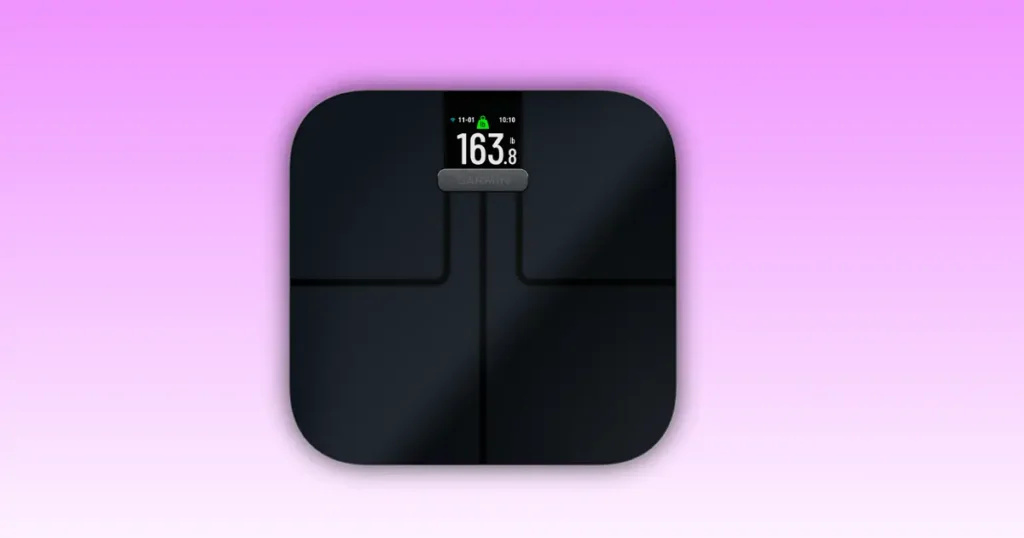
My Garmin Index S2 froze on me one Tuesday morning in Cleveland, right before my weekly weigh-in. I felt that quiet panic you get when a device you trust just stops responding. If your Garmin Index S2 is not working right now, take a breath. Most of these issues have a simple fix, and I have tested nearly all of them myself. This guide walks you through every fix, step by step, in plain language.
Why Is Your Garmin Index S2 Not Working?
A smart scale is a small computer. It has a battery, a chip, and a Wi-Fi radio. Any one of those parts can hiccup. Most of the time, the cause is not broken hardware. It is something small like a weak battery, a missed firmware update, or a phone that lost its Bluetooth pairing.
Before you try any fix, ask yourself a few questions. What does “not working” mean for your scale? Is the screen blank, or does it turn on but show the wrong number? Did the problem start right after a battery change, a Wi-Fi password update, or a move to a new home? Answering these questions first will save you time, because it points you toward the right fix instead of guessing.
Most Common Symptoms
Readers tell me about the same handful of problems over and over. Here are the ones I see most often.
- Scale won’t turn on
- Blank screen
- Frozen display
- Incorrect weight
- Won’t connect to Wi-Fi
- Won’t sync with Garmin Connect
- Bluetooth problems
- Calibration errors
- Stuck on setup
- Constant restarting
If you see your issue on this list, keep reading. I cover every one of these below with a real fix, not just a guess.
Quick Troubleshooting Checklist
Before you dig into deeper fixes, run through this short checklist. It solves a surprising number of Garmin Index S2 problems in under five minutes.
Try These First
- Check that the batteries are installed the right way
- Swap in fresh AA batteries, not old ones
- Place the scale on a hard, flat floor
- Step on barefoot, no socks
- Restart the scale by removing and reinserting the batteries
- Restart your phone
- Check that your Wi-Fi is actually online
- Check the Garmin Connect app or website for outages
I know this list looks basic. But in my experience helping friends and family with their scales, at least half of all “broken” scales turn out to be a battery or Wi-Fi issue. Start here first.
Garmin Index S2 Problem vs Recommended Fix
This table gives you a fast way to match your symptom with the most likely cause and the first fix worth trying.
| Problem | Possible Cause | First Fix to Try |
|---|---|---|
| Won’t turn on | Dead batteries | Replace batteries |
| Wrong weight | Needs calibration | Recalibrate |
| Wi-Fi won’t connect | Network issue | Reconnect Wi-Fi |
| Doesn’t sync | Garmin Connect issue | Re-sync account |
| Body fat missing | Foot contact issue | Clean feet and sensors |
| Frozen display | Software glitch | Restart scale |
| Setup fails | App permissions | Check Bluetooth and Location |
Keep this table handy. It will save you a lot of guesswork.
Garmin Index S2 Won’t Turn On
This is the most common complaint I hear, and it is usually the easiest to fix.
Check Battery Installation
Open the battery door on the bottom of the scale. Look at the plus and minus marks inside the compartment. It is easy to slide a battery in backward without noticing, especially in low light. Check that both AA batteries sit flush against the metal contacts. Even a small gap can stop the scale from powering on.
Try New Batteries
Rechargeable batteries often carry less voltage than standard alkaline batteries. That small drop is sometimes enough to keep a smart scale from starting up, even if your battery tester says the cells still have charge. I recommend a fresh set of name-brand alkaline AA batteries. It is a small cost, and it rules out a common cause fast.
Inspect Battery Compartment
Look closely at the metal contacts inside the battery door. Rust, moisture, or a light white powder are signs of corrosion. If you see this, wipe the contacts gently with a dry cloth or a cotton swab dipped in a small amount of rubbing alcohol. Let it dry fully before putting batteries back in. Also check that the metal springs inside are not bent or loose.
Perform a Hard Reset
Remove both batteries. Wait sixty seconds. Put them back in with the correct polarity. This clears any small software freeze and often brings the scale back to life on the first try.
Garmin Index S2 Shows Incorrect Weight
An inaccurate reading is frustrating, especially if you track your progress closely.
Place the Scale Correctly
Flooring matters more than most people expect. A hard, even surface like tile or hardwood gives the most accurate reading. Carpet, even short carpet, can throw off the sensors because the scale cannot sit perfectly flat. If you only have carpet, place a thin, hard board under the scale to create a stable base.
Recalibrate the Scale
Calibration resets the internal sensors so they read weight correctly again. Here is the process I use.
- Place the scale on a hard, flat floor
- Step off completely and let the screen go dark
- Step on with both feet, stand still, and wait for a full reading
- Step off, wait a few seconds, then repeat once more
- Compare the two readings. They should match closely
If the numbers still look off after two tries, move on to a full battery reset before trying again.
Weigh Yourself Properly
For the most consistent number, weigh yourself at the same time each day, ideally right after waking up. Empty your pockets, take off shoes and socks, and stand still with your weight spread evenly on both feet. Small habits like this remove a lot of the day-to-day swings people blame on the scale itself.
Environmental Factors
Temperature changes can affect the internal sensors slightly, especially if the scale was stored in a cold garage or near a drafty window. Humidity can also cause tiny shifts in the glass platform. Uneven flooring is the biggest factor by far, so always double check that the scale does not rock or wobble before you step on.
Garmin Index S2 Won’t Connect to Wi-Fi
Wi-Fi issues are common, but they almost always trace back to the network, not the scale itself.
Check Supported Networks
The Garmin Index S2 only connects to 2.4 GHz Wi-Fi networks. Many modern routers broadcast a combined network name that switches between 2.4 GHz and 5 GHz automatically. If your router does this, log into your router settings and create a separate 2.4 GHz network name just for the setup process.
Restart Router
Unplug your router for thirty seconds, then plug it back in. This clears temporary network errors and is one of the most reliable fixes for any smart home device, not just the Index S2.
Move Scale Closer
Bathrooms often sit at the edge of a home’s Wi-Fi range. Move the scale closer to your router during setup, get it connected, then move it back to its normal spot afterward.
Reconnect Using Garmin Connect
Open the Garmin Connect app, go to your scale’s settings, and choose the option to reconfigure Wi-Fi. This walks you through picking your network and entering your password again.
Remove Old Wi-Fi Settings
If you recently changed your Wi-Fi password or switched routers, the scale is still trying to connect to the old network. Remove the saved network from the scale’s settings inside Garmin Connect, then set it up again from scratch with the new details.
Garmin Index S2 Won’t Sync With Garmin Connect
Check Garmin Servers
Sometimes the issue has nothing to do with your home setup at all. Garmin’s servers occasionally go through maintenance or brief outages. Check Garmin’s status page or their official social media accounts before assuming your scale is at fault.
Update Garmin Connect App
An outdated app can lose the ability to talk to newer scale firmware. Open your phone’s app store and check for updates to Garmin Connect. Install any available update, then restart your phone.
Sign Out and Back In
Signing out of your Garmin account inside the app and signing back in refreshes your connection tokens. This clears up many quiet sync failures that do not show an obvious error message.
Remove and Add the Scale Again
If sync issues continue, remove the scale from your Garmin Connect account entirely, then add it again as if it were brand new. This rebuilds the connection from the ground up.
Verify User Profile Assignment
The Index S2 supports multiple users. If your weigh-in is landing under the wrong profile, or not saving at all, double check that you are stepping on while logged into the correct guest or primary user slot.
Bluetooth Connection Problems
Turn Bluetooth Off and On
This sounds too simple, but it works often. Turn off Bluetooth on your phone, wait ten seconds, then turn it back on before opening Garmin Connect again.
Clear Previous Pairings
Go into your phone’s Bluetooth settings and forget the Garmin Index S2 if it appears there. Then re-pair it fresh through the Garmin Connect app.
Check Phone Permissions
Modern phones require several permissions for Bluetooth devices to work correctly. Check that Garmin Connect has access to Bluetooth, Nearby Devices, and Location services. On many Android phones, Location must be turned on for Bluetooth scanning to work at all, even though it feels unrelated.
Compatible Devices
Make sure your phone’s operating system meets Garmin Connect’s minimum requirements. Very old phones running outdated iOS or Android versions sometimes cannot maintain a stable Bluetooth connection with newer Garmin devices.
Body Composition Measurements Missing
Dry Feet
Body composition readings use tiny electrical signals sent through your feet. Wet or overly dry skin can block this signal. Make sure your feet are clean and lightly damp, not soaking wet and not bone dry.
Clean Metal Electrodes
Over time, soap residue and skin oils build up on the metal foot pads. Wipe them down weekly with a damp cloth to keep the signal reading clearly.
Stand Still
Movement during the reading confuses the sensors. Stand still with even weight on both feet until the screen shows a full result.
Athlete Mode
If you exercise often and have a lower resting heart rate, Athlete Mode in Garmin Connect can give you a more accurate body fat reading. Turn this on inside your user profile settings if it fits your activity level.
Pregnancy Mode
The scale can hide body composition readings during pregnancy, since electrical signal-based measurements are not recommended in that case. If this setting is on by accident, check your profile settings to turn it off.
Factors That Affect Readings
Hydration levels, recent exercise, meals, and even the time of day can shift your body composition numbers. For the most consistent tracking, weigh yourself at a similar time each day and avoid comparing a post-workout reading to a first-thing-in-the-morning one.
Garmin Index S2 Keeps Restarting
Low Battery Voltage
A restart loop is often just a battery running low, even if it has not fully died yet. Replace both batteries with a fresh set before trying anything more complex.
Software Issues
A firmware update that did not finish installing can leave the scale in a loop. Check the Firmware Update section below for the fix.
Hardware Faults
If new batteries and a firmware check do not stop the restarting, a loose internal connection may be the cause. This is less common, but it does happen, especially after a drop.
Factory Reset
A full factory reset clears any corrupted settings that might be causing the loop. See the Factory Reset section further down for the full steps.
Garmin Index S2 Stuck During Setup
Reset Setup Process
Close the Garmin Connect app fully, remove the scale’s batteries for thirty seconds, then start the setup process again from the beginning.
Reinstall Garmin Connect
Delete the app from your phone, restart your phone, then reinstall Garmin Connect fresh from the app store. This clears out any corrupted app data that could be blocking setup.
Enable Required Permissions
Go into your phone’s settings and confirm Garmin Connect has permission for Bluetooth, Location, and, on some phones, Nearby Devices. Setup will not complete without these.
Try Another Smartphone
If you have access to a second phone or tablet, try running setup on that device. This quickly tells you whether the issue is with your scale or with your original phone.
Update Garmin Index S2 Firmware
Why Firmware Matters
Firmware is the small piece of software running inside the scale itself. Garmin regularly releases updates that fix bugs, improve Wi-Fi stability, and add small feature improvements. An outdated firmware version is behind more connectivity issues than people realize.
How Updates Install
Firmware updates download automatically once your scale is connected to Wi-Fi and paired with Garmin Connect. You do not need to trigger anything manually in most cases. Just keep the scale near your router and let it sit for a few minutes after a fresh setup.
What If Update Gets Stuck?
If the update seems stuck, remove the batteries for one minute, reinsert them, and let the scale try again once it reconnects to Wi-Fi. Avoid pulling batteries mid-update if you can help it, since interrupting the process partway through is one of the few things that can genuinely require a full reset.
Factory Reset Garmin Index S2
Before Resetting
Try every fix above first. A factory reset should be your later step, not your first one, since it clears out your saved settings and Wi-Fi details.
Factory Reset Steps
- Remove both batteries
- Wait sixty seconds
- Reinsert the batteries
- Follow the on-screen setup as if the scale were brand new
- Reconnect it inside Garmin Connect
What Gets Deleted?
A reset clears Wi-Fi credentials and returns the scale to its out-of-box state. Your past weigh-in history stored in Garmin Connect stays safe, since that data lives in the app and your Garmin account, not on the scale itself.
Reconfigure After Reset
Once reset, add the scale back through Garmin Connect exactly like you did during your first setup. Assign it to the correct user profiles again so everyone’s readings land in the right place.
Advanced Hardware Checks
Inspect Weight Sensors
If the scale gives wildly different numbers each time you step on, even on a hard, flat floor, gently check for any visible damage near the corners underneath the scale, where the weight sensors sit.
Check Glass Platform
Look closely at the glass top for cracks or chips. Even a small crack near the edge can throw off readings or, in rare cases, become a safety issue over time.
Moisture Damage
Bathroom scales live in a humid environment. Check underneath and around the battery door for any signs of water pooling or staining, which can point to internal moisture damage.
Internal Damage Signs
A burning smell, a display that flickers randomly, or buttons that do not respond at all are signs worth taking seriously. These usually mean it is time to contact Garmin support rather than keep troubleshooting at home.
When Replacement Parts May Be Needed
Battery Door
If the battery door is cracked or the latch no longer holds, this alone can cause power issues from loose battery contact.
Rubber Feet
Worn or missing rubber feet on the bottom of the scale can cause it to sit unevenly, which affects both stability and weight accuracy.
Glass Platform
A cracked platform is a safety concern and usually means the scale needs professional repair or replacement rather than a DIY fix.
Internal Sensors
Sensor failure is rare, but it does happen, especially in older units or after a hard drop. This is not something you can fix at home.
Is Repair Worth It?
For a device in this price range, I usually recommend weighing the cost of professional repair against the cost of a new unit. If your Index S2 is still within its warranty window, contacting Garmin support directly is almost always your best and cheapest option.
Garmin Index S2 Maintenance Tips
Monthly Cleaning
Wipe down the glass top and metal electrodes once a month with a soft, damp cloth. Avoid harsh chemical cleaners, which can dull the glass finish over time.
Proper Storage
Store the scale away from direct sunlight and extreme temperature swings. A bathroom closet or under-sink cabinet works fine as long as it stays dry.
Battery Care
Replace batteries every six to twelve months, even if the scale still seems to work fine. This avoids sudden mid-use power failures and keeps your Wi-Fi connection more stable.
Wi-Fi Best Practices
Keep your router firmware updated and avoid moving the scale too far from your router. If you upgrade your home network, remember to reconnect the scale to the new network name right away.
Calibration Schedule
I recommend a quick calibration check once a month, especially if you moved the scale to a new spot or changed flooring anywhere in that room.
Maintenance Schedule Table
A little routine care goes a long way toward avoiding sync errors and inaccurate readings down the road.
| Task | Frequency | Why It Matters |
|---|---|---|
| Clean electrodes | Weekly | Better body composition readings |
| Replace batteries | 6 to 12 months | Stable power |
| Check calibration | Monthly | Accurate weight |
| Firmware updates | When available | Bug fixes |
| Clean battery contacts | Every 3 months | Prevent corrosion |
| Inspect scale feet | Monthly | Stable measurements |
Garmin Index S2 Error Messages Explained
Error codes look intimidating, but each one points to a specific, fixable issue.
| Error | Meaning | Solution |
|---|---|---|
| Lo | Battery low | Replace batteries |
| Err | General error | Restart and recalibrate |
| Wi-Fi Error | Network issue | Reconnect Wi-Fi |
| Sync Failed | Cloud issue | Retry later |
| Setup Failed | Configuration issue | Reset setup |
USA Expert Advice for Reliable Smart Scale Performance
“Most smart scale problems are not hardware failures. They are usually power, network, or calibration issues. Following a systematic troubleshooting process saves time and avoids unnecessary replacements.” Michael Chen, Consumer Electronics Service Technician, USA
A few practical habits back up his advice well.
- Do not rush troubleshooting. Try one fix, then test the result
- Change one thing at a time so you know what actually fixed it
- Wait a full minute after a battery swap before turning the scale back on
- Keep firmware updated whenever a new version is available
- Use quality, name-brand batteries instead of the cheapest option
One Saturday morning in Denver, I spent nearly twenty minutes trying to reconnect my Garmin Index S2 after changing my Wi-Fi password. The fix turned out to be simple. I removed the saved network, paired it again, and everything synced within minutes. A quick cup of coffee later, I was laughing at how such a small detail caused so much confusion. It is a good reminder that most fixes really are this straightforward once you know where to look.
When to Contact Garmin Support
Signs of Hardware Failure
Reach out to Garmin support directly if you notice any of the following.
- Cracked glass platform
- A burning smell coming from the scale
- Visible water damage inside the battery compartment
- A restart loop that continues even after a factory reset
- Sensors that do not respond to any weight at all
- A display that stays permanently blank after fresh batteries
Information to Prepare
Before you call or start a chat with support, gather these details ahead of time. It speeds up the whole process.
- Serial number, found inside the battery compartment
- Original purchase date and, if possible, your receipt
- Current firmware version, found in Garmin Connect
- Clear photos of any physical damage
- A short list of the troubleshooting steps you already tried
Final Recommendation
In my own experience, and from helping plenty of friends troubleshoot their own scales, the Garmin Index S2 is a genuinely reliable device. Most of the “not working” moments people run into trace back to something small like a weak battery, an outdated app, or a Wi-Fi password that changed without the scale knowing. I always tell people to start with the basics first. Fresh batteries, a router restart, and a quick recalibration solve the overwhelming majority of issues I hear about.
Where the Index S2 does fall a little short is in how it handles network changes. It is not always intuitive to reconnect after a password update, and that is the single issue I get the most questions about. If Garmin improves that one flow, I think complaints would drop significantly.
If you have worked through this guide and your scale is still acting up, do not hesitate to reach out to Garmin support. Persistent hardware issues, especially anything involving the glass platform or a burning smell, are not worth troubleshooting further on your own. But for the vast majority of readers dealing with a Garmin Index S2 not working the way it should, the fixes above will get you back to your regular weigh-in routine fast.
My honest suggestion is to treat this guide like a checklist rather than a one-time read. Bookmark it, and come back to the Quick Troubleshooting Checklist any time something feels off. Most people only need the first few steps. A smaller group will need to dig into Wi-Fi settings or a factory reset. And a very small group will genuinely need Garmin’s support team. Knowing which group you fall into saves you time and keeps the frustration to a minimum.
Frequently Asked Questions
Why is my Garmin Index S2 not turning on?
The most common cause is dead or incorrectly installed batteries. Check the polarity, swap in fresh AA batteries, and inspect the contacts for corrosion before assuming the scale itself is broken.
Why won’t my Garmin Index S2 connect to Wi-Fi?
Your scale only supports 2.4 GHz networks. If your router broadcasts a combined 2.4 and 5 GHz signal under one name, create a separate 2.4 GHz network for setup, then reconnect the scale through Garmin Connect.
Why is my Garmin Index S2 showing the wrong weight?
Uneven or soft flooring is the most common cause. Move the scale to a hard, flat surface, recalibrate it, and weigh yourself at a consistent time of day for the most accurate results.
Can I use rechargeable batteries?
You can, but standard alkaline batteries tend to give more stable power for this type of device. If you notice power issues with rechargeables, switch to fresh alkaline batteries as a test.
How do I reset my Garmin Index S2?
Remove both batteries, wait sixty seconds, then reinsert them. This clears most software freezes. For a full factory reset, follow the same steps and then complete setup again as if the scale were new.
Why won’t Garmin Connect sync my measurements?
Check for app updates, confirm Garmin’s servers are online, and try signing out and back into your Garmin account. If the issue continues, remove the scale from your account and add it again fresh.
How often should I calibrate the Garmin Index S2?
I recommend checking calibration once a month, and any time you move the scale to a new spot or change the flooring underneath it.

Shakitul Alam is the CEO, Owner, and Co-founder of BMI Calculator Women AI. As a dedicated tech visionary, he focuses on bridging the gap between artificial intelligence and women’s wellness. Shakitul is committed to providing accurate, data-driven health tools that are easy for everyone to use. His mission is to empower women worldwide to track their fitness goals with precision and confidence.