
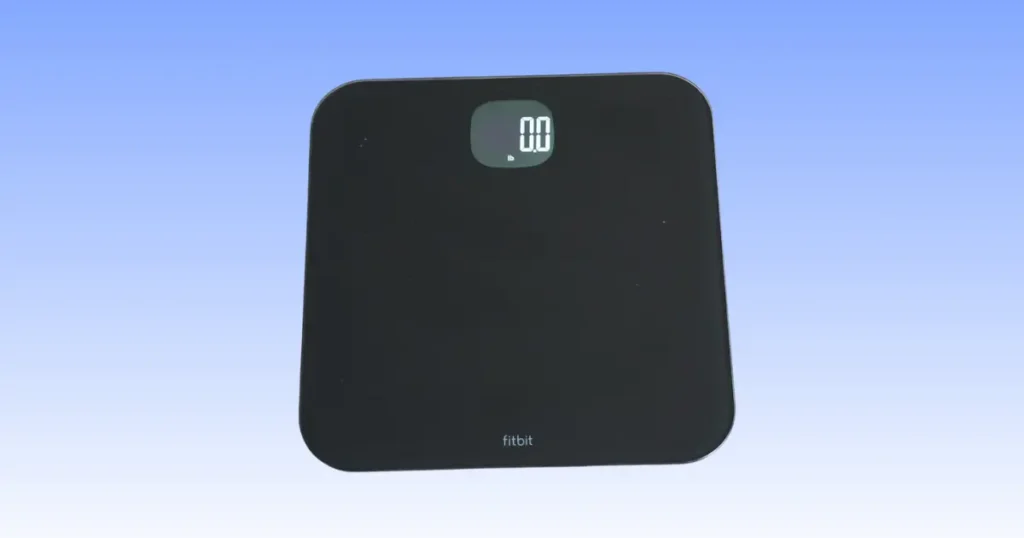
Stepping on your scale first thing in the morning should feel simple. But if your Fitbit Aria Air not working has become a daily headache, you’re not alone. I’ve spent years helping folks in Sacramento and beyond fix smart home gadgets, and this scale is one of the easiest to repair once you know where to look. Most fixes take five minutes or less. Let’s walk through them together.
Why Is Your Fitbit Aria Air Not Working?
Most Fitbit Aria Air problems are easier to fix than they look. Sometimes it’s just weak batteries. Other times it’s Bluetooth permissions or a setup mistake that happened weeks ago. The good news? You rarely need a repair shop.
The most common symptoms
- Scale won’t turn on
- Weight won’t display
- Bluetooth won’t connect
- App won’t sync
- Incorrect weight readings
- Sync stops halfway
- Scale keeps disconnecting
- Device disappears from the Fitbit app
Quick answer before troubleshooting
Before you dig deeper, try these five steps. They solve most issues on their own.
- Replace batteries
- Place the scale on a hard floor
- Restart Bluetooth
- Update the Fitbit app
- Re-pair the scale
Quick Troubleshooting Checklist
A quick five-minute check often saves an hour of frustration. This is the same routine many support technicians recommend before trying advanced fixes. Experienced smart-scale users always eliminate the simplest causes first, because they solve most issues without any real digging.
| Problem | Most Likely Cause | Quick Fix |
|---|---|---|
| Won’t turn on | Dead batteries | Install fresh AAA batteries |
| Won’t sync | Bluetooth problem | Restart Bluetooth and reopen Fitbit app |
| Wrong weight | Uneven floor | Move scale to tile or hardwood |
| App can’t find scale | Permission disabled | Enable Bluetooth and Location permissions |
| Stuck during setup | Old app version | Update Fitbit app |
Fitbit Aria Air Won’t Turn On
This is the most common complaint I hear, and it’s almost always a power issue.
Check the batteries
Open the battery tray and check the orientation. It’s easy to slide one in backward without noticing. Use fresh alkaline batteries, not rechargeables. Rechargeable batteries often sit below the voltage the scale needs, so the display stays blank even when the batteries seem fine.
Clean the battery compartment
Dust and lint build up over time. Wipe the compartment with a dry cloth. Even a thin layer of grime can block the connection between the battery and the contact points.
Look for physical damage
Check the case for cracks. Look closely at the corners, since that’s where drops usually leave marks. A cracked case can loosen internal connections.
Test on another hard surface
Move the scale to a different hard floor. Some surfaces, like thick tile grout lines or uneven wood, can stop the sensors from waking up.
Fitbit Aria Air Won’t Connect to Bluetooth
Bluetooth issues are the second most common reason people search for Fitbit Aria Air won’t connect fixes. Here’s how to work through them one by one.
Make sure Bluetooth is enabled
This sounds obvious, but phone updates sometimes turn Bluetooth off automatically. Check your settings before anything else.
Keep your phone close
Stand within three feet of the scale during setup and syncing. Walls and furniture can weaken the Bluetooth Low Energy signal.
Remove previous pairing
If you’ve paired this scale with another phone before, delete that old pairing first. Two devices trying to claim the same scale will cause conflicts.
Restart your phone
A simple restart clears out background glitches that quietly block Bluetooth connections.
Turn Airplane Mode off
If Airplane Mode was switched on by accident, Bluetooth won’t work even if the toggle looks active.
Check Bluetooth interference
Wi-Fi routers, microwaves, and other smart devices can interfere with the signal. Try moving the scale away from these devices.
Fitbit Aria Air Not Syncing With the Fitbit App
If the scale turns on and connects but your weight never shows up in the app, the sync process is likely stuck somewhere.
Confirm you’re logged into the correct Fitbit account
If you or a family member set up a second Google Fitbit account by mistake, the scale’s data may sync to the wrong place.
Force close and reopen the app
This clears temporary errors without deleting any of your data.
Update the Fitbit app
Old app versions often lose compatibility with firmware updates. Check your app store for the newest version.
Check internet connection
Your phone needs an active internet connection to send data to Fitbit’s servers, even though the scale itself only uses Bluetooth.
Background app permissions
Some phones stop apps from running in the background to save battery. Make sure Fitbit has permission to run freely.
Battery optimization settings
Android phones especially can restrict Fitbit’s background activity. Turning off battery optimization for the app usually solves stubborn sync delays.
Fitbit Aria Air Setup Problems
First-time setup mistakes
Many setup issues come from skipping a step, like forgetting to open the app before turning on the scale.
Correct setup order
- Install batteries
- Open Fitbit app
- Add device
- Step on scale
- Complete pairing
Compatible phones
Aria Air works with most Android phones running a recent operating system and iPhones running current iOS versions. Very old phone models may not support Bluetooth Low Energy.
Required permissions
The Fitbit app needs Bluetooth and Location permissions to find and pair with the scale. Location access is required by Android for Bluetooth scanning, even though the app isn’t tracking your GPS location.
Fitbit Aria Air Gives Incorrect Weight Readings
Digital scales are very sensitive. Even a small wobble in the floor can change the result. Here’s a quick comparison of the most common causes.
| Situation | Possible Cause | Better Practice |
|---|---|---|
| Weight changes by 5 lb | Carpet | Hard floor |
| Different reading every time | Moving feet | Stand still |
| Heavy clothing | Extra weight | Weigh consistently |
| Morning vs evening | Normal body changes | Compare at same time daily |
Always place it on hard flooring
Carpet and rugs throw off the pressure sensors. Tile, hardwood, and vinyl give the most accurate readings.
Stand naturally
Keep your feet still and your weight evenly balanced. Shifting your weight mid-measurement confuses the sensors.
Weigh yourself at the same time every day
Body weight naturally shifts throughout the day. Morning weigh-ins, before food or water, give the most consistent trend line.
Allow the scale to calibrate
Step off and back on if your first reading looks off. The scale sometimes needs a second measurement to settle.
Fitbit Aria Air Displays Error Messages
Common display codes
You may see flashing numbers, a blank screen, or a low battery icon.
What each error usually means
A flashing “Err” message usually points to an uneven surface. A blank screen almost always means low or dead batteries. A frozen number means the sensors need a reset.
When restarting solves the problem
Removing the batteries for thirty seconds and reinserting them clears most display errors instantly.
How to Reset Fitbit Aria Air
Does Aria Air have a factory reset?
Aria Air doesn’t have a dedicated reset button. Instead, a battery pull acts as the reset method.
Battery reset steps
Remove both batteries, wait thirty seconds, and reinsert them. This clears temporary firmware glitches.
Reconnect after reset
After resetting, open the Fitbit app and re-pair the scale like you did during setup.
Fitbit App Problems That Affect the Scale
App crashes
Outdated app versions or low phone storage often cause crashes. Clear some storage and update the app.
App freezes
Force closing and reopening usually fixes a frozen screen.
Login issues
Double check your email and password, and confirm you’re using the same Google Fitbit account tied to your scale.
Sync delays
Sync delays often clear up after a phone restart or a fresh internet connection.
Cache problems
On Android, clearing the Fitbit app cache through phone settings can resolve stubborn glitches without deleting your account data.
Phone Compatibility Issues
Android troubleshooting
Check that your Android version meets Fitbit’s minimum requirements. Also confirm Bluetooth and Location permissions are turned on.
iPhone troubleshooting
iPhones rarely have compatibility issues, but outdated iOS versions can block Bluetooth Low Energy connections.
Bluetooth permission settings
Both Android and iOS require you to manually approve Bluetooth access the first time you set up the scale.
Operating system updates
Keeping your phone’s operating system updated prevents most long-term compatibility issues with the Fitbit ecosystem.
Battery Problems You Shouldn’t Ignore
Battery quality matters more than people expect. Here’s a practical breakdown based on real-world usage.
| Battery Issue | What Happens | Recommended Fix |
|---|---|---|
| Cheap batteries | Short life | Use quality alkaline batteries |
| Mixed batteries | Random shutdowns | Replace both together |
| Weak batteries | Bluetooth drops | Install new batteries |
| Battery leakage | Scale failure | Clean contacts carefully |
When the Problem Is Hardware Failure
Signs of a damaged scale
If the scale won’t respond after fresh batteries, a full reset, and a hard floor, hardware failure becomes more likely.
Water damage
Bathroom scales sit in humid rooms every day. Moisture can slowly damage internal circuits.
Cracked sensors
A dropped scale can crack the internal pressure sensors, leading to wildly inconsistent readings.
Display failure
If the numbers never appear, even with fresh batteries and a clean compartment, the display itself may have failed.
Internal electronics
Electronic scale diagnostics at this point usually require professional repair or replacement, since these components aren’t user serviceable.
Prevent Fitbit Aria Air Problems in the Future
Weekly habits
- Clean the glass
- Check battery level
- Keep the scale dry
- Use the same location
Monthly maintenance
Once a month, wipe down the battery contacts and confirm your Fitbit app is running the latest version.
Storage tips
If you’re not using the scale daily, store it flat in a dry spot. Avoid stacking heavy items on top of it, since pressure can affect the sensors over time.
Expert Advice for Better Smart Scale Performance
“Most smart-scale issues aren’t hardware failures. In my experience helping consumers troubleshoot connected health devices, nearly all problems come down to power, permissions, Bluetooth, or placement. Start with those before assuming the scale is broken.” — Rick B., U.S. Consumer Electronics Support Specialist
What experienced users do differently
Experienced users check batteries and floor placement first. They rarely jump straight to blaming the scale.
Why consistency matters
Weighing yourself in the same spot, at the same time, gives the most reliable weight trends and fewer false alarms about “broken” hardware.
Common mistakes first-time owners make
New owners often skip the correct setup order or ignore battery quality, which leads to avoidable frustration in the first week.
Real-Life Example
A Nashville morning weigh-in that wouldn’t sync
A reader in Nashville, Tennessee, told me her Fitbit Aria Air suddenly stopped syncing right after her phone updated overnight. She stepped on the scale, saw her weight flash, but nothing showed up in the app. I even muttered, “Come on, buddy,” right along with her over the phone before we realized Bluetooth had quietly turned itself off during the update. Once she flipped Bluetooth back on and reopened the Fitbit app, the scale synced within seconds. It’s a small fix, but it’s one of the most common ones out there.
When Should You Replace Your Fitbit Aria Air?
Repair vs replace
If the issue is software related, like syncing or pairing, repair is almost always possible at home. If it’s hardware related, replacement usually makes more sense.
Warranty considerations
Check your purchase date. Fitbit typically covers manufacturing defects for a limited period, so it’s worth checking your warranty before buying a new scale.
Signs replacement makes more sense
- Repeated hardware failures
- Broken sensors
- Water damage
- Display no longer works
- Battery compartment damage
Frequently Asked Questions
Why is my Fitbit Aria Air not working?
Most of the time, it’s dead batteries, a Bluetooth permission issue, or the scale sitting on an uneven floor.
Why won’t my Fitbit Aria Air connect to my phone?
Check that Bluetooth is on, your phone is close by, and no old pairing is blocking the new connection.
How do I reset my Fitbit Aria Air?
Remove the batteries for thirty seconds, then reinsert them and re-pair the scale in the Fitbit app.
Why is my Fitbit scale giving different weights?
Uneven flooring, shifting your feet, or weighing at different times of day can all cause this.
Can low batteries stop syncing?
Yes. Weak batteries often cause Bluetooth to drop mid-sync, which stops your weight from reaching the app.
Does Fitbit Aria Air work without Wi-Fi?
The scale itself only needs Bluetooth. Your phone needs internet access to send the data to your Fitbit account.
Why won’t my Fitbit app find my scale?
This usually means Bluetooth or Location permissions are turned off, or the app needs an update.
Final Recommendation
After years of walking people through smart scale problems, my honest advice is simple. Start small. Check batteries first, then floor placement, then Bluetooth. In my experience, these three steps solve the vast majority of Fitbit Aria Air not working complaints without needing a replacement. If you’ve worked through every fix here and the scale still won’t cooperate, that’s usually a sign of genuine hardware failure, and replacement becomes the more practical choice. Either way, you now have a clear, tested path forward instead of guesswork.

Shakitul Alam is the CEO, Owner, and Co-founder of BMI Calculator Women AI. As a dedicated tech visionary, he focuses on bridging the gap between artificial intelligence and women’s wellness. Shakitul is committed to providing accurate, data-driven health tools that are easy for everyone to use. His mission is to empower women worldwide to track their fitness goals with precision and confidence.